Understand credits and manage your Pro license
Check when RenamerX uses or returns a credit, compare Free with Pro, and activate, validate, transfer, or deactivate your license.
RenamerX offers Free and Pro plans. Free includes 50 credits each month. RenamerX uses 1 credit each time it successfully creates a new name for one file. Pro includes unlimited credits, Watch Folders, Auto apply, and a lifetime license.
Compare Free and Pro
Choose a plan based on how many files you rename and whether you need automatic folder monitoring.
| Feature | Free | Pro |
|---|---|---|
| Credits | 50 per month | Unlimited |
| Batch Rename | Included | Included |
| Watch Folders | Not included | Included |
| Auto apply | Not included | Included |
| License | No purchase required | One-time purchase, valid for life |
Pro covers RenamerX features and credits. External AI Providers, including OpenAI and Google Gemini, can charge separately for their services.
Know when RenamerX consumes 1 credit
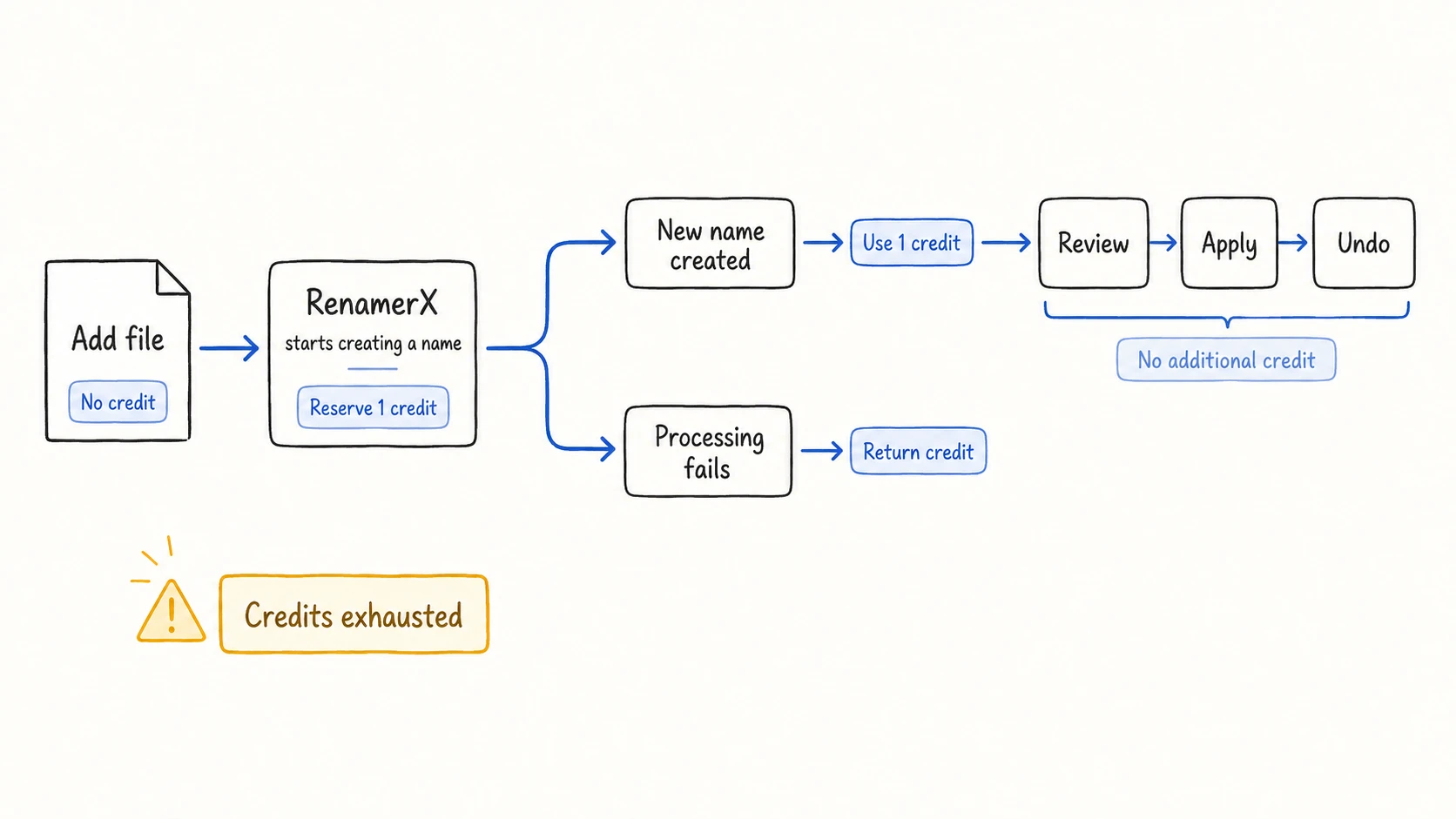
On Free, RenamerX reserves 1 credit when it starts creating a new name. The credit is used only if RenamerX creates the name successfully. If processing fails, RenamerX returns the reserved credit.
| Operation | Uses a Free credit? | What happens |
|---|---|---|
| Import a supported file | No | RenamerX adds the file to the workspace and processing queue |
| Skip an unsupported or temporary file | No | The file does not begin AI processing |
| Create a new name for one file | Yes | RenamerX uses 1 credit |
| Fail before creating a new name | No | RenamerX returns the reserved credit |
| Retry and create a new name | Yes | The successful retry uses 1 credit |
| Edit or review an existing name | No | RenamerX uses the result already in the workspace |
| Apply or Undo | No | These actions rename, move, or restore files without creating another name |
Review, Apply, Auto apply, and Undo do not use another credit after RenamerX creates the name.
Check credit usage
Open Preferences → License & Billing to see your current plan and remaining credits. Free returns to 50 credits at the start of each month.
After you use all 50 credits, RenamerX cannot create more names until credits become available again. The affected file shows Failed and a credits-exhausted error.
You can also purchase a RenamerX Pro license for unlimited credits. It is a one-time purchase and remains valid for life.
Running out of credits does not block names RenamerX has already created. You can still review or edit Needs review items, Apply them, and Undo eligible Applied items.
Pro features
Pro includes:
- unlimited RenamerX credits
- Watch Folders
- Auto apply
- a one-time purchase with a lifetime license
Each external AI Provider can still apply its own charges, quotas, model access, privacy terms, and availability limits.
Activate a license on this device
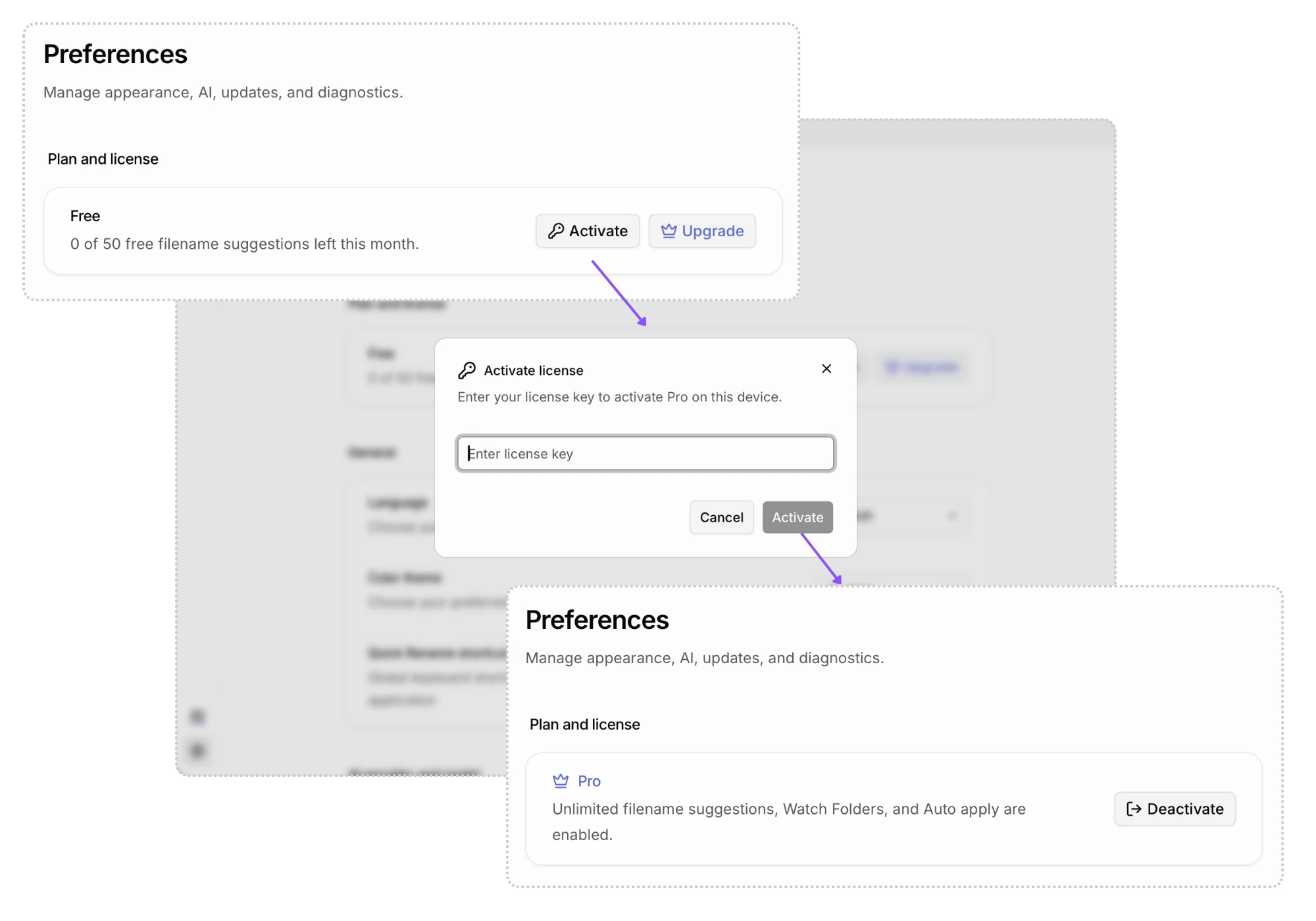
Activate your license key from Preferences:
- Open Preferences → License & Billing.
- Select Activate Key.
- Enter the license key and select Activate.
- Confirm that Pro appears before starting a Watch Folder or Auto apply workflow.
Understand Pro license validation and offline grace
RenamerX checks an active Pro license 24 hours after the last successful validation. After a successful validation, you can use Pro offline for 7 days. Each successful validation starts a new 7-day offline grace period.
| Validation result | What RenamerX does |
|---|---|
| The license is valid | Keeps Pro active and starts a new 7-day offline grace period |
| A temporary network or service failure occurs within the grace period | Keeps the last valid Pro state |
| A temporary failure continues beyond the grace period | Reports a validation error; reconnect so RenamerX can validate again |
| The service confirms that the license is revoked, missing, or inactive | Returns the device to Free and stops active Watch Folder monitoring |
The grace period covers temporary connection problems. It does not override a license that the service confirms is no longer valid.
Deactivate or transfer your license
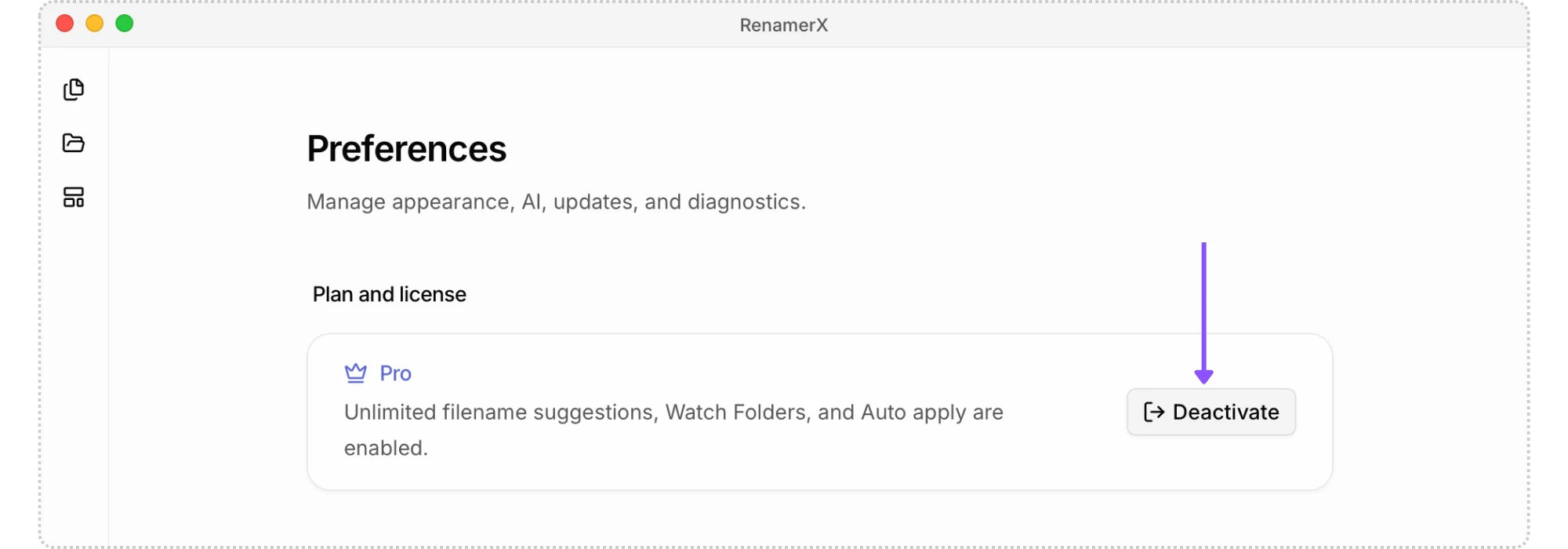
- On the old device, open Preferences → License & Billing and select Deactivate.
- On the new device, open the same page, select Activate Key, and enter your license key.
Deactivating the old device:
- removes the local activation from this device
- returns RenamerX to the Free plan
- stops active Watch Folder monitoring
- removes access to Watch Folder start and Auto apply
Deactivation does not delete your files, templates, preferences, or Batch Rename history. Existing filename suggestions and applied-file records remain available under the normal review and recovery rules.
Resolve a credit or license problem
Start in Preferences → License & Billing and confirm the displayed plan and remaining credits. If activation fails, check the network, remove spaces around the key, and confirm that another device is not using the final activation slot.
Use Troubleshooting if the displayed state remains wrong. If support requests a diagnostic bundle, inspect the ZIP before sharing it.
Continue by task
- Preferences to find billing and other App settings
- Watch Folders to use Pro monitoring and Auto apply
- Review, Apply, and Undo to understand actions that do not use another credit
- AI Providers to review external Provider costs and limits