Understand Dublin Core metadata in RenamerX
See how RenamerX maps file information to Dublin Core-aligned fields, adds naming-specific fields, and handles Description metadata.
Dublin Core is a widely used standard for describing files and other information. RenamerX uses some of its field names so Title, Date, and Type keep a consistent meaning while a template controls their order and format.
You do not need to understand Dublin Core to create a template. Use this page when you want to know how RenamerX fields relate to the standard. RenamerX also adds fields for clients, organizations, projects, locations, status, and versions.
What Dublin Core contributes
The Dublin Core Metadata Initiative (DCMI) defines a shared set of terms for describing information. Its original 15 elements include Title, Creator, Subject, Date, Type, Description, and Identifier.
RenamerX uses these terms because each field answers a different question. AI identifies the information, and the template builds the final filename in a predictable order.
Dublin Core-aligned fields in RenamerX
Six Dublin Core-aligned fields are available in filename templates:
| RenamerX field | Role in naming |
|---|---|
dcTitle | A specific human-readable title |
dcCreator | The creator or primary responsible party |
dcSubject | A broad topical classification |
dcDate | The meaningful date resolved for naming |
dcType | The conceptual or functional resource type |
dcIdentifier | An explicit identifier assigned to the resource |
RenamerX also produces dcDescription, a Dublin Core-aligned Description. It supports review and embedded metadata, but it is intentionally excluded from filename templates because a useful description is too long for a stable filename component.
RenamerX extension fields
Business filing systems can require context beyond the Dublin Core-aligned filename fields. RenamerX adds six extension fields:
| RenamerX field | Additional context |
|---|---|
extClient | Client or commissioning party |
extOrganization | Related organization, team, or institution |
extProject | Project, campaign, case, or workstream |
extLocationName | Readable place name |
extStatus | Lifecycle or deliverable stage |
extVersion | Explicit revision or release marker |
These ext keys are RenamerX fields, not DCMI terms. See the Naming Fields Dictionary for evidence rules, examples, and empty-value behavior for every field.
How fields become a filename
RenamerX asks AI only for the information required by the active template and organization mode, plus Description. It then applies the template rules.
The resulting sequence is:
- RenamerX reads available content, previews, and information saved inside the file.
- AI identifies the requested fields from that information.
- RenamerX chooses the date and applies the selected Date Format.
- The template orders the selected fields, omits unavailable values, and joins them with the selected separator.
- You review the suggested filename and Description before applying file changes.
This keeps file understanding separate from filename formatting. Changing the separator or field order does not require RenamerX to analyze the file again.
How RenamerX writes Description metadata
RenamerX generates Description for each analyzed file even though it is not a filename field. You can review and copy it in File Preview. For supported file types, Apply can write it to the file's Extensible Metadata Platform (XMP) metadata. It does not add the Description to a document body or change visible content.
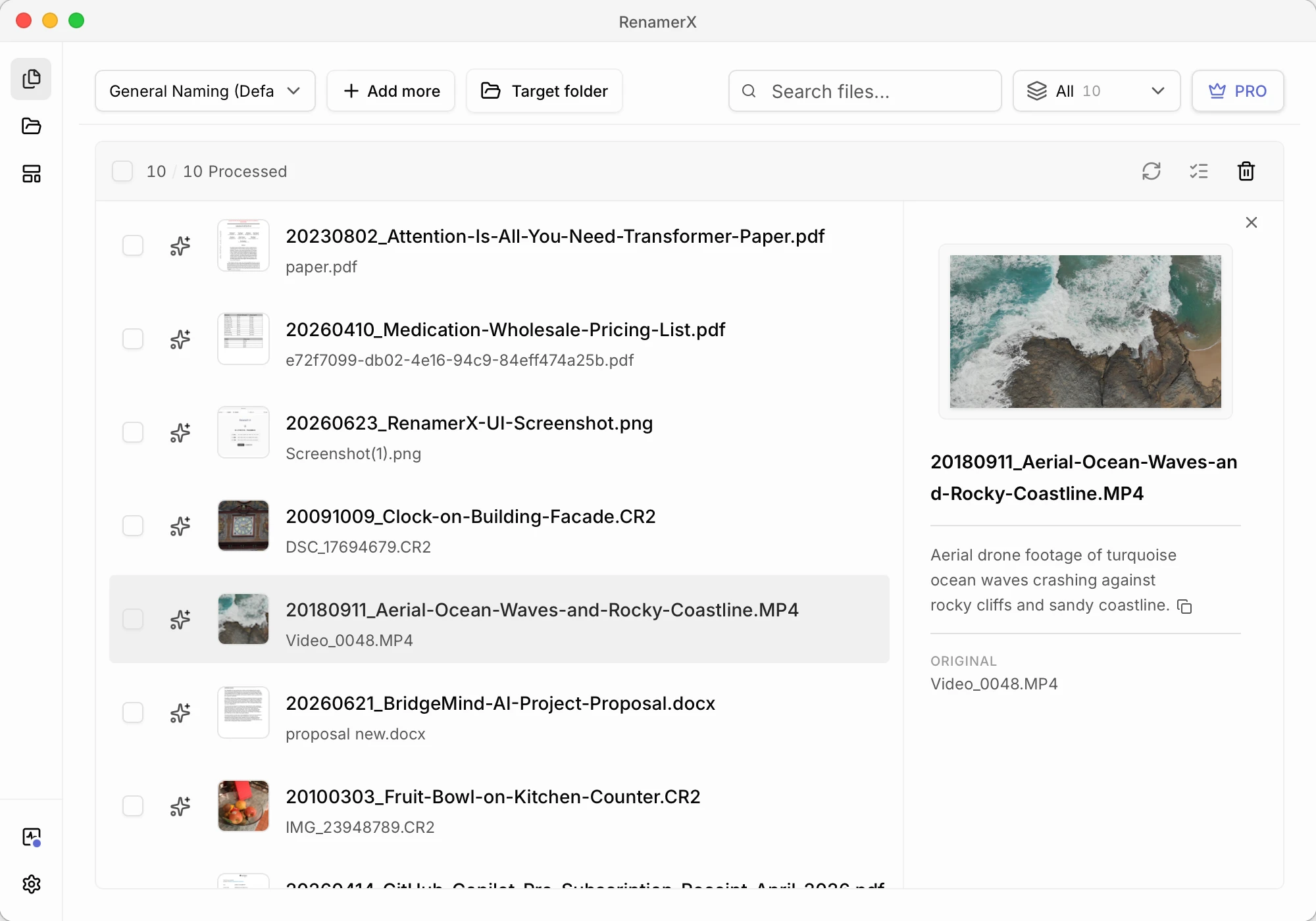
The exact metadata field is XMP-dc:Description. Writing it is separate from renaming or moving the file, so a metadata write failure does not reverse a successful file operation. Undo attempts to restore the original Description metadata when RenamerX recorded it during analysis.
RenamerX does not write all generated naming fields into the file, and processing support does not automatically imply Description write-back support. See Supported File Types for the exact write-back matrix.
What Dublin Core-aligned means here
RenamerX follows the meaning of selected Dublin Core terms, but the product intentionally applies narrower operational rules. For example, DCMI Date can represent broader date forms, while RenamerX naming resolves a complete date and then applies one of five supported output formats.
RenamerX does not create a complete Dublin Core record or certify a file as Dublin Core-compliant. The alignment gives each field a stable meaning for naming, review, and Description.