Find the right RenamerX guide
Start with installation or your first reviewed rename, then find the workflow, setting, support, or reference guide for your current task.
RenamerX reads supported documents, images, and videos to create clear, consistent filenames. A template controls what each name contains and how it is formatted. You review each new name before applying it unless you enable Watch Folder Auto apply.
Choose RenamerX Built-in Local AI to process file information on your device. Other AI Providers send that information to the AI service you configure. Start with the first four guides if you have not renamed any test files yet.
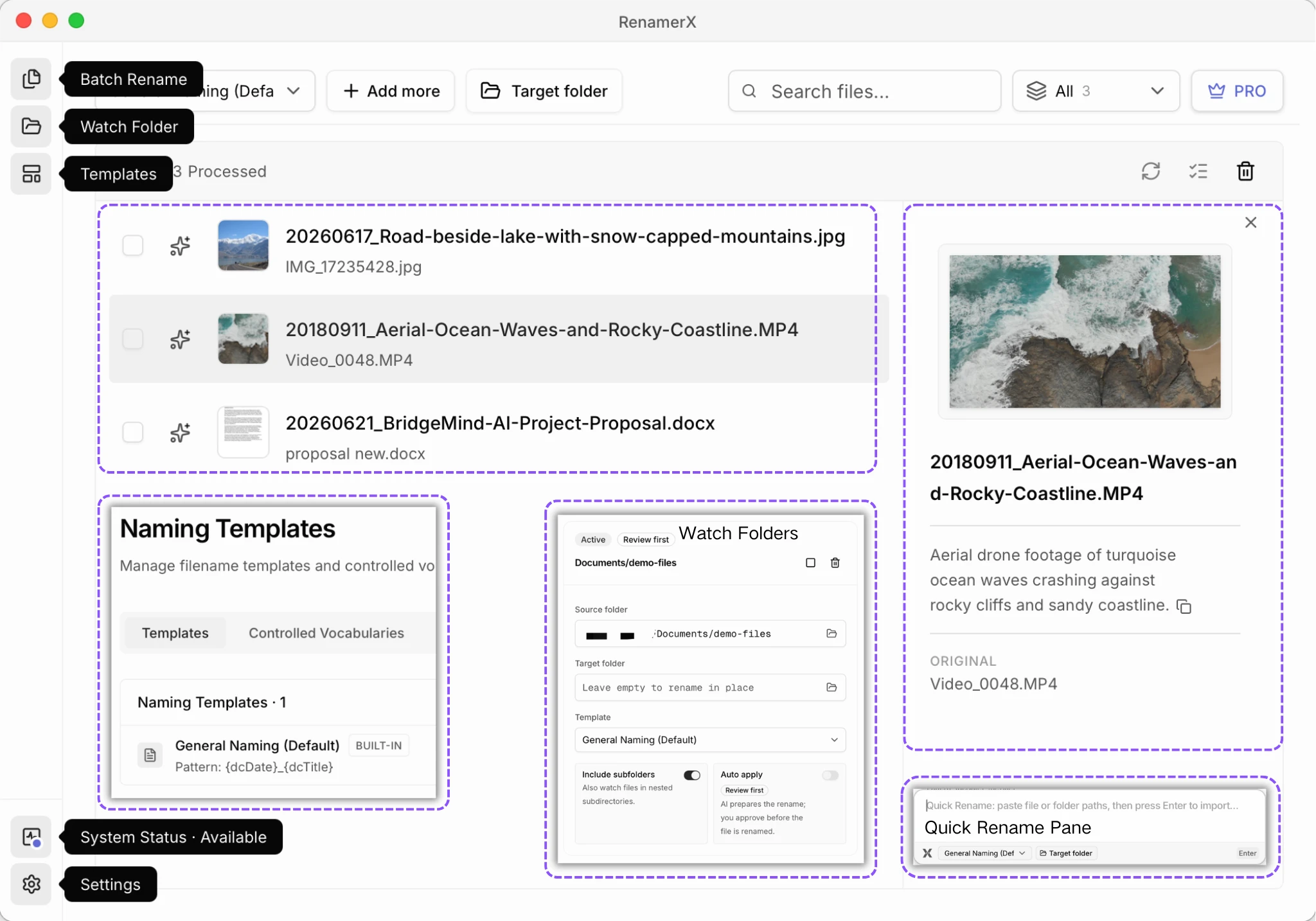
Set up RenamerX and rename a few test files
Follow these guides in order if this is your first use. They cover installation, your first reviewed rename, how RenamerX creates names, and plan limits.
Installation and Setup
Check platform requirements, install the App, choose an AI Provider, and prepare its resources.
Quick Start
Rename 3 to 5 files in a test folder, review every new name, and check the results.
How RenamerX Works
See how RenamerX reads a file, creates a new name, and waits for approval before changing it.
Credits and License
Check when credits are used, what Pro includes, and how license validation affects this device.
Choose how files enter RenamerX
Choose a workflow based on where the files come from. All three use the same naming steps and templates.
Batch Rename
Import a one-time group, review new filenames, and Apply only selected results.
Quick Rename
Use Quick Pane to send copied or entered file and folder paths into Batch Rename.
Watch Folders
Monitor a recurring source with Review first, or use Pro-only Auto apply after testing the setup.
Control when and where files change
Read these guides before renaming, moving, organizing, or recovering important files.
Review, Apply, and Undo
Learn when files are renamed or moved, how partial results work, and when Undo remains available.
Organize Files
Keep files in place, move them to a target folder, or sort them into folders by category or date.
Build a naming convention
Decide what the filename should communicate, implement that structure in a template, and standardize recurring concepts where needed.
Best Practices
Choose which files share a rule, what their names contain, the field order, and the files used for testing.
Templates
Configure filename fields, order, formatting, output language, organization, and a Custom AI Prompt.
Controlled Vocabulary
Maintain agreed Subjects, Types, Statuses, Organizations, and Projects for recurring concepts.
Choose an AI Provider and manage settings
Use these guides to choose where AI processing happens, manage local resources, and find App settings.
AI Providers
Compare Built-in Local AI, Ollama, LM Studio, OpenAI, Google Gemini, and Custom Provider.
Built-in Local AI
Prepare local AI, choose a compatible GPU, and adjust its performance settings.
Identify Locations from GPS
Convert GPS coordinates saved in photos and other files into place names without an online map service.
System Status and Diagnostics
Check required resources and the active AI service, recover problems, or export a diagnostic bundle.
Preferences
Locate interface, Quick Pane, AI provider, local AI, billing, update, and support settings.
Protect data and solve problems
Choose the page that matches your question, privacy decision, or visible symptom.
Frequently Asked Questions
Find a concise answer, then follow the linked guide for complete steps and rules.
Security and Privacy
Understand local processing, external Provider data, stored keys, file access, and diagnostics.
Troubleshooting
Diagnose setup, processing, file, Provider, automation, and license problems by symptom.
Look up an exact format or field rule
Use Reference pages when you need an exact supported value or rule.
Supported File Types
Find supported extensions, skipped paths, PDF and preview limits, and files that support Description metadata.
Naming Fields Dictionary
Check the 12 filename fields, Description, evidence sources, examples, and empty-value behavior.
Date Formatting
Compare five formats and learn which date RenamerX uses when a reliable content date is unavailable.
Dublin Core Metadata
Learn why RenamerX uses standard and extended Dublin Core concepts for file information.