Look up naming fields
Look up the 12 RenamerX filename fields, the file information each field requires, and what happens when a value is unavailable.
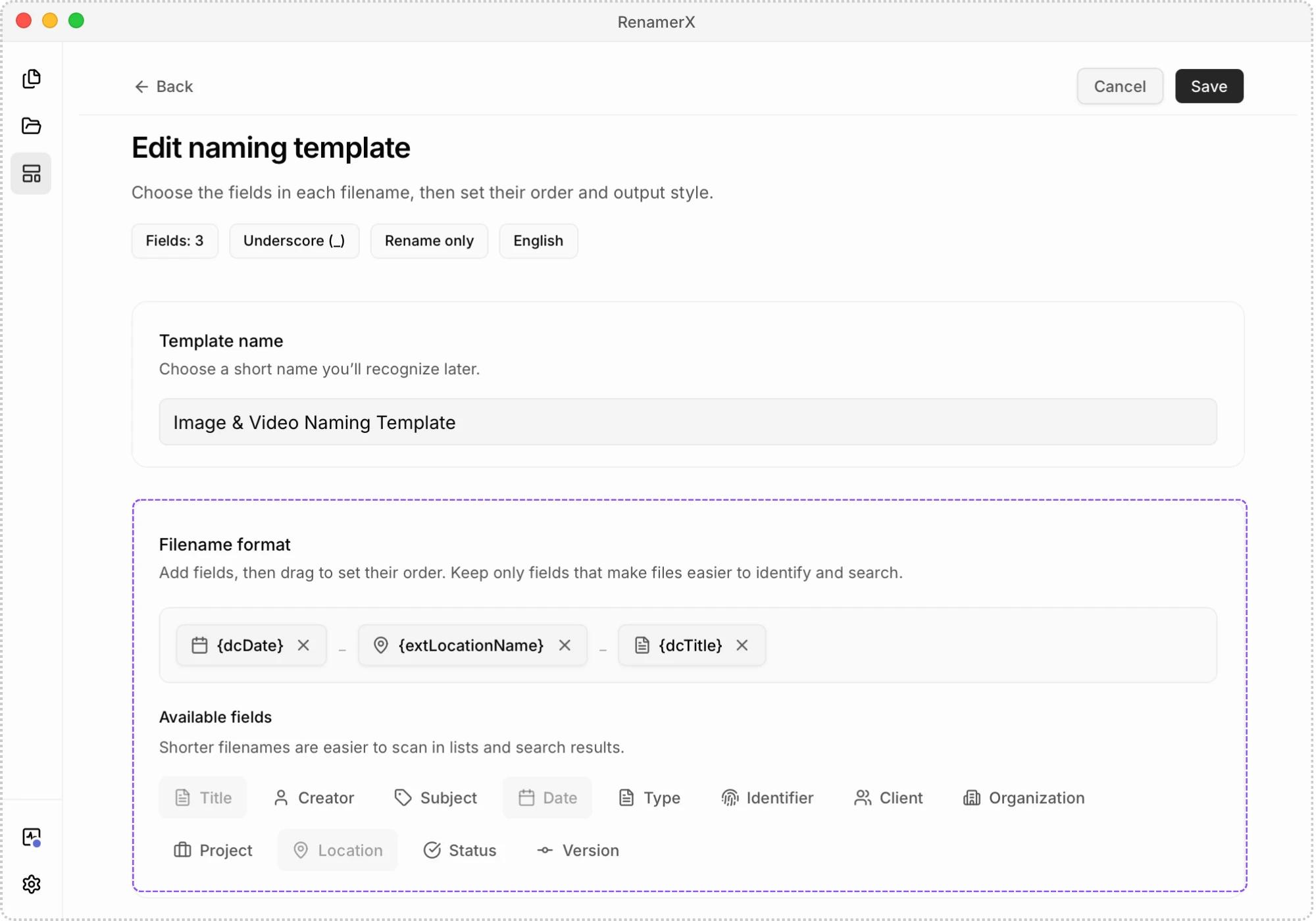
RenamerX templates can use 12 fields to build a filename. AI receives only the information required by the selected template and folder rule. RenamerX checks the result, identifies Location on your device, and leaves out information it cannot determine instead of guessing.
If AI cannot identify a reliable content date, RenamerX uses the creation date saved in the file and then the file modification date. Fields used for file organization can also affect the destination folder, so check the empty-value behavior before relying on a field.
Dublin Core-aligned filename fields
These six fields describe the resource itself. The examples show representative output values, not required vocabulary.
| UI field and key | What it means | Reliable evidence and example | If no value is available |
|---|---|---|---|
Title (dcTitle) | The shortest specific, human-readable title for this file | Content, visible subject, information saved inside the file, filename, or folder context. Example: Q1 sales report | Omitted. If every selected filename field is empty, RenamerX cannot produce a suggested filename. |
Creator (dcCreator) | The author, photographer, issuer, or primary responsible party | A clearly named person or organization. Example: Alice Chen | Omitted |
Subject (dcSubject) | A broad topical category | File evidence interpreted with your controlled Subjects when configured. Example: Finance | Omitted from the filename; By Subject uses uncategorized |
Date (dcDate) | The most meaningful date associated with the resource | Invoice, signing, meeting, publication, or capture date. Example: 2026-05-16 | RenamerX next tries the creation date saved in the file, then the file modification date, and applies Date Format. By Date uses the same date. |
Type (dcType) | The resource’s conceptual or functional class, not its extension | File evidence interpreted with your controlled Types when configured. Examples: Invoice, Contract, Screenshot | Omitted from the filename; By Type cannot determine a destination and Apply fails for that file |
Identifier (dcIdentifier) | An explicit identifier assigned to the resource | Invoice, order, contract, case, record, or DOI value. Example: INV-1042 | Omitted |
RenamerX extension filename fields
These six fields cover common business and workflow concepts that are not represented by the filename-oriented Dublin Core set above.
| UI field and key | What it means | Reliable evidence and example | If no value is available |
|---|---|---|---|
Client (extClient) | The client, commissioning party, buyer, or service recipient | An explicitly identified client relationship. Example: Northwind | Omitted |
Organization (extOrganization) | An organization that owns, issued, or is clearly associated with the file | A controlled Organization or a clearly named company, team, or institution. Example: Acme | Omitted from the filename; By Organization cannot determine a destination and Apply fails for that file |
Project (extProject) | A project, campaign, case, engagement, or workstream | A controlled Project or a clear project name or code. Example: Website redesign | Omitted from the filename; By Project cannot determine a destination and Apply fails for that file |
Location (extLocationName) | The most specific reliable place identified from the file’s GPS coordinates | Offline location data. Example: Shinjuku City | Omitted when GPS is missing or RenamerX cannot identify one reliable place. AI does not generate this field. |
Status (extStatus) | The lifecycle or deliverable stage | A controlled Status or a clear equivalent in the file. Examples: Draft, Final, Approved | Omitted |
Version (extVersion) | An explicit revision or release marker | Values such as v2, v02, or rev-a in the filename, folder, or content. Example: v2 | Omitted |
Title, Subject, and Type are different
These fields describe the same file from different angles. Keep Title specific, Subject broad, and Type stable.
| Field | Question it answers | Example for the same file |
|---|---|---|
| Title | What is this specific file about? | March cloud hosting charges |
| Subject | Which broad topic does it belong to? | Finance |
| Type | What kind of resource is it? | Invoice |
A scanned invoice is still an Invoice for Type, even if it is visually an image or scan. Avoid copying the extension into Type, and avoid repeating the date or location inside Title when those values already have their own fields.
Client, Organization, and Project are different
Use Client for the party receiving or commissioning the work. Use Organization for a company, team, or institution associated with the resource, and use Project for the initiative or workstream the file belongs to.
One file can contain all three. A design brief might have Northwind as Client, Acme Studio as Organization, and Spring campaign as Project.
Controlled fields require reliable classification
Subject, Type, Organization, Project, and Status can use the values you configure under Controlled Vocabulary. These lists guide AI processing toward consistent output, but they do not replace the file evidence or force a match when no value is reliable.
Organization and Project may use a clear value outside the configured list when the file provides one. Subject and Type are intended as controlled classifications; Status can map a clear equivalent such as “approved for release” to an available status.
Location comes from saved GPS information
When a template includes Location, RenamerX identifies it from saved GPS coordinates after AI processing. The lookup runs automatically on your device, and RenamerX does not send the coordinates or this field to AI.
RenamerX leaves Location empty when GPS is missing or it cannot identify one reliable place. It does not substitute a place from the filename or ask AI to estimate one.
Version must be explicit
Version is for an intentional revision marker such as v3 or rev-b. RenamerX should not treat a date, a browser download suffix such as (2), or a conflict suffix added during Apply as a version.
Description is not a filename field
RenamerX also requests Description (dcDescription) for every analyzed file. It is a 20-to-60-word factual description that you can review, copy, search, and write to the metadata of supported files.
You cannot add Description to a filename template. If AI does not return one, RenamerX has no Description metadata to write.
The output language setting affects Title and Description. To see which file types support Description metadata, read Supported File Types.
Build a useful field combination
Use only the fields that help you find and distinguish the file. For a contract archive, Date + Organization + Title + Type might produce:
2026-05-16_northwind_master-services-agreement_contract.pdf
The template controls field order, date presentation, and separator. RenamerX omits an unavailable value and joins the remaining fields without leaving an empty slot.