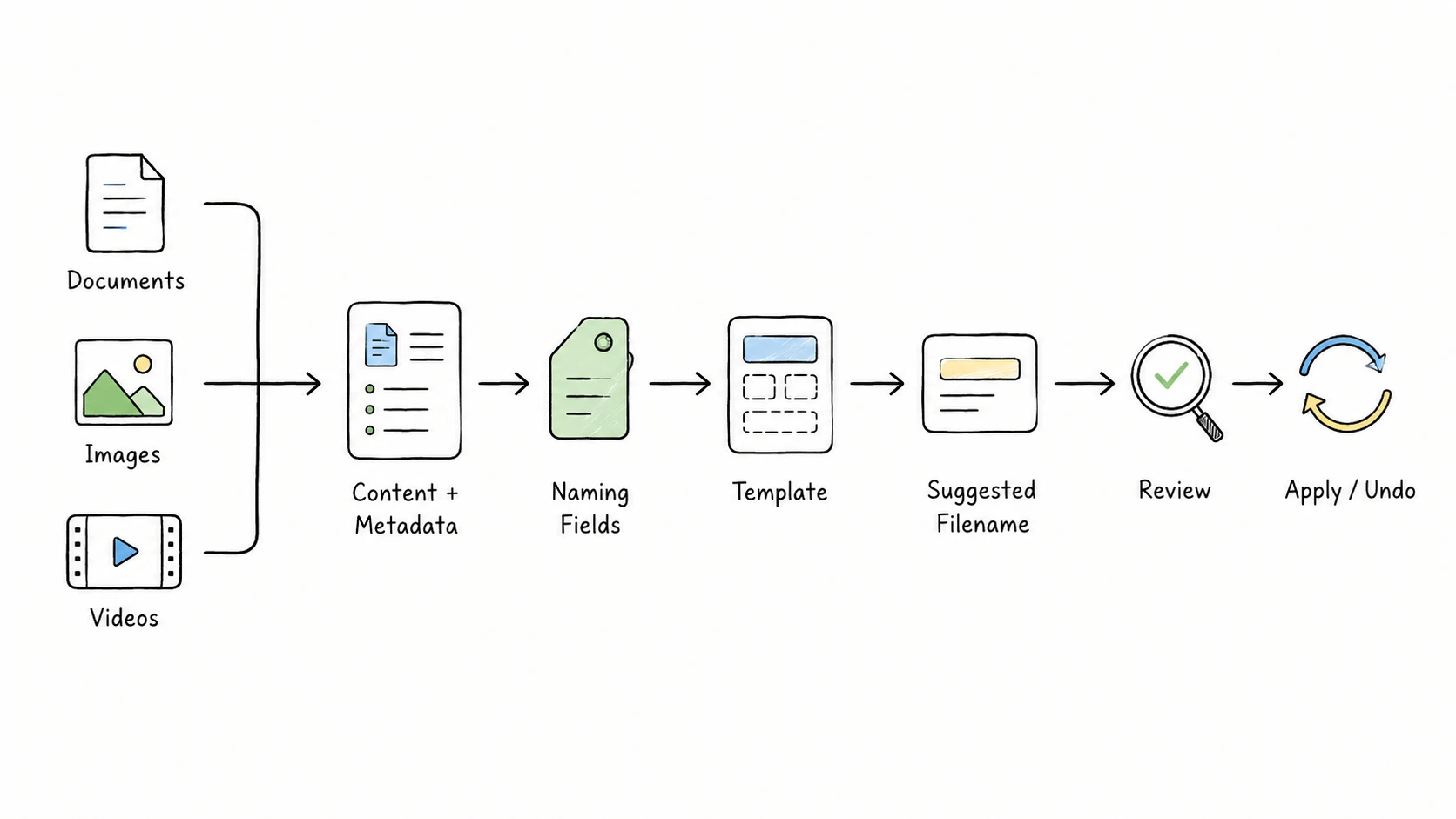
Learn how an AI file renamer reads documents, images, and videos, turns their content into consistent filenames, and lets you review before applying.
Also known as Li Xiaolong · 李小龙
Creator and developer of RenamerX
Sancijun is the public name used by Li Xiaolong, the creator and developer of RenamerX. Sancijun researches and tests local-first file analysis, naming templates, batch review, and recovery workflows across documents, images, and video.
Profiles
Learn how an AI file renamer reads documents, images, and videos, turns their content into consistent filenames, and lets you review before applying.
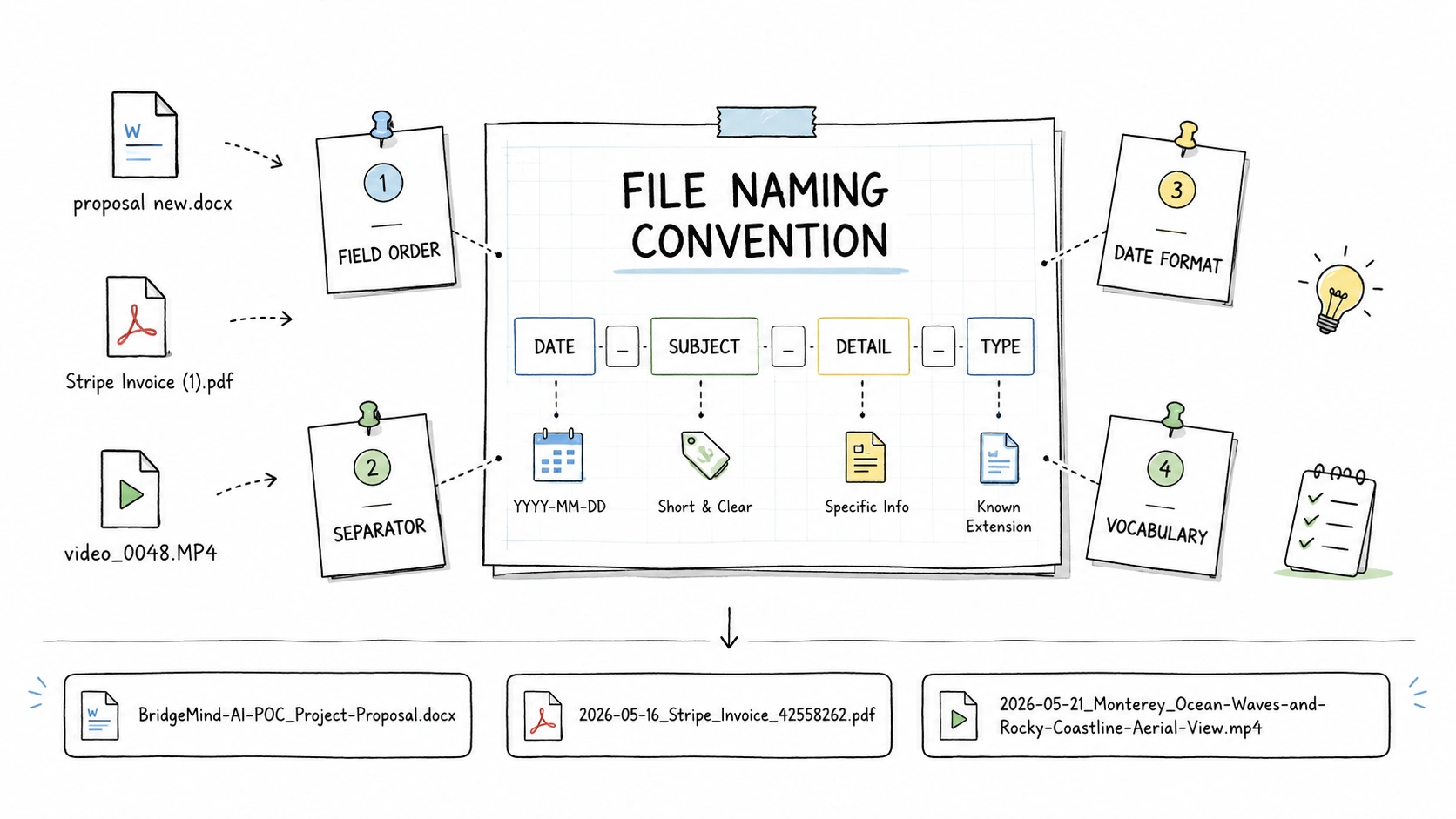
Learn how to design file naming conventions that make files easier to find, sort, share, and automate, with examples, templates, and checks for real folders.
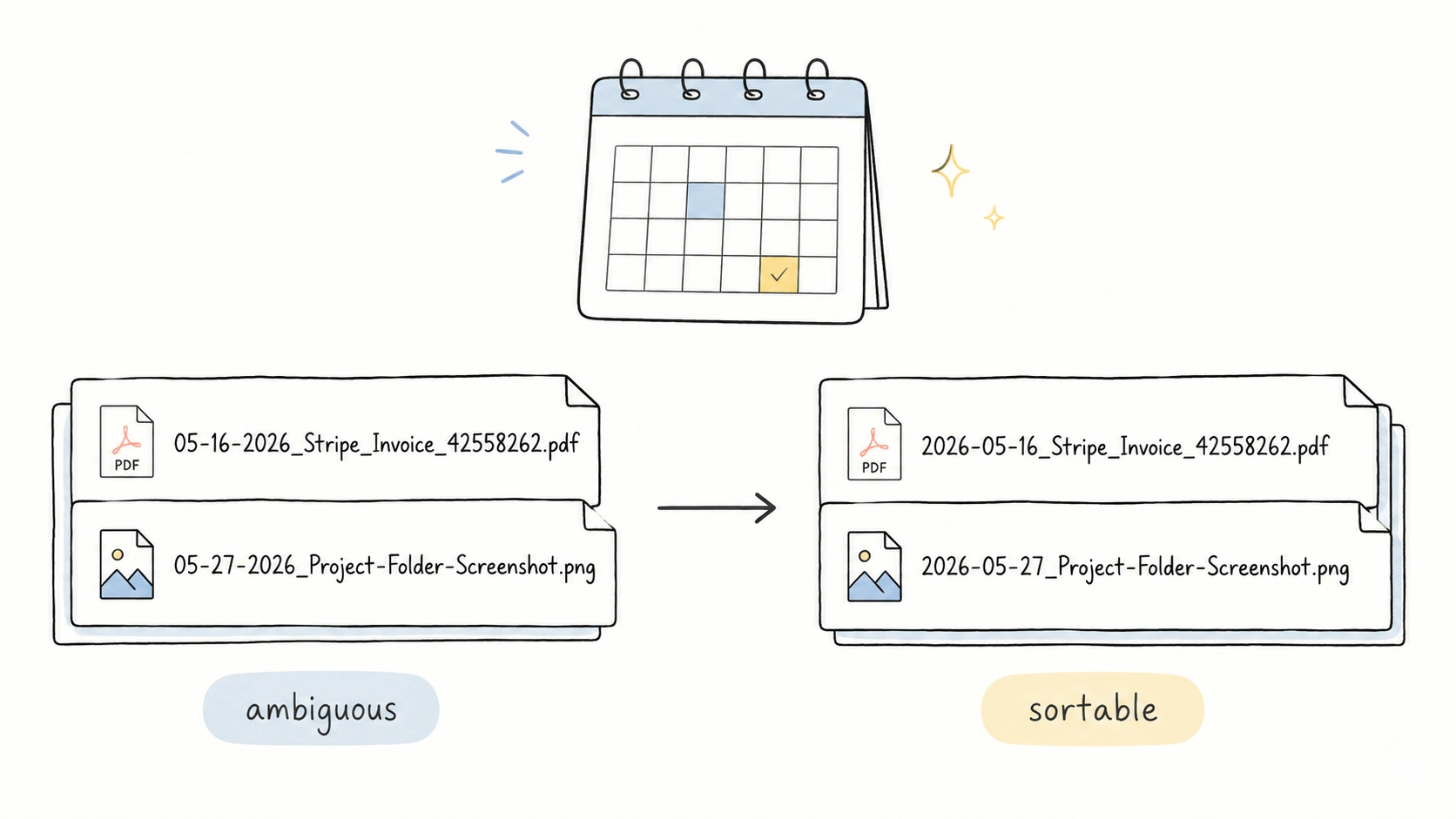
Use YYYY-MM-DD in file names when you want dates that sort correctly, stay readable, and avoid regional ambiguity.
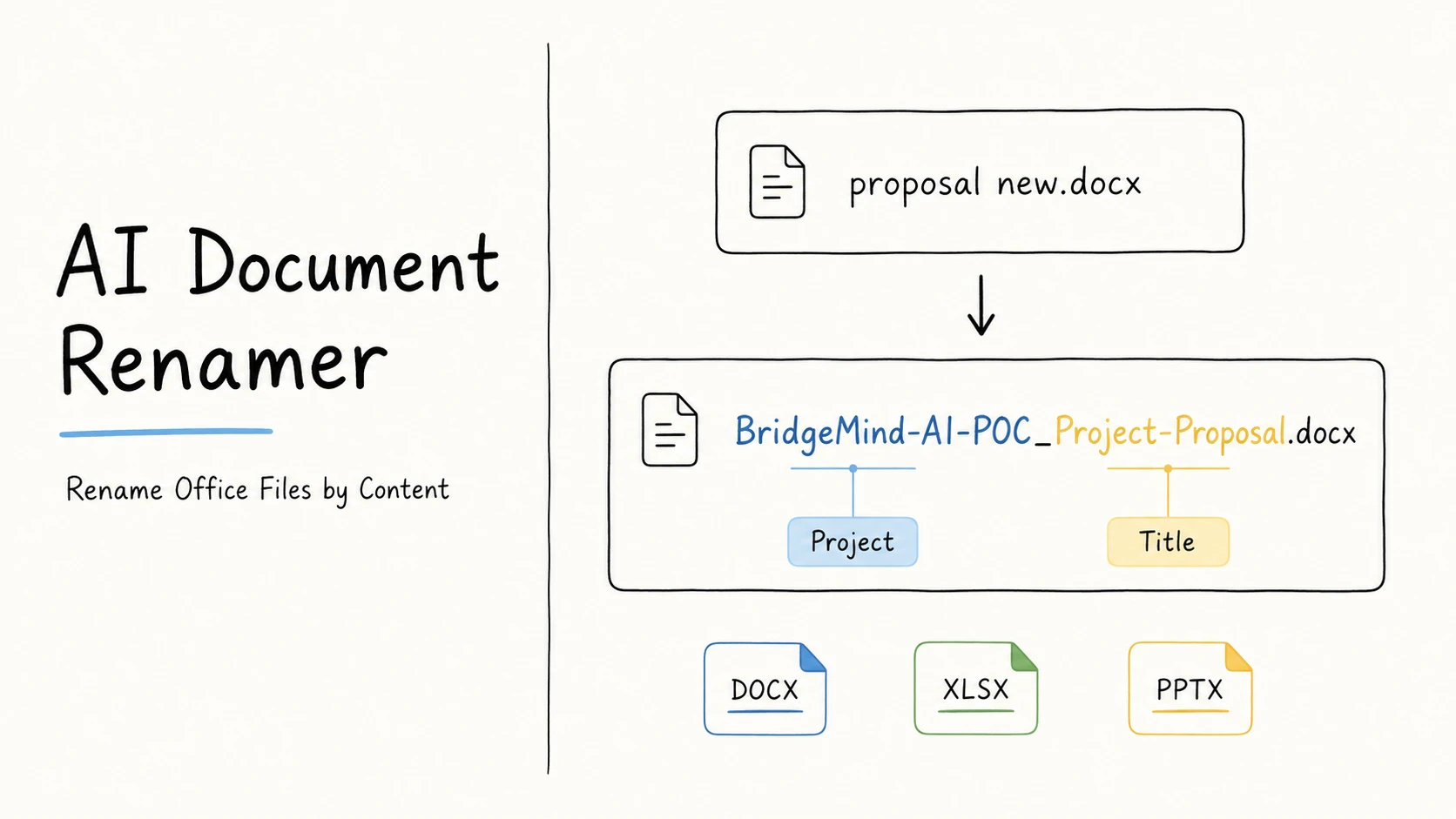
Learn how to turn unclear Word, Excel, PowerPoint, and other Office filenames into clear, consistent names based on useful document details.
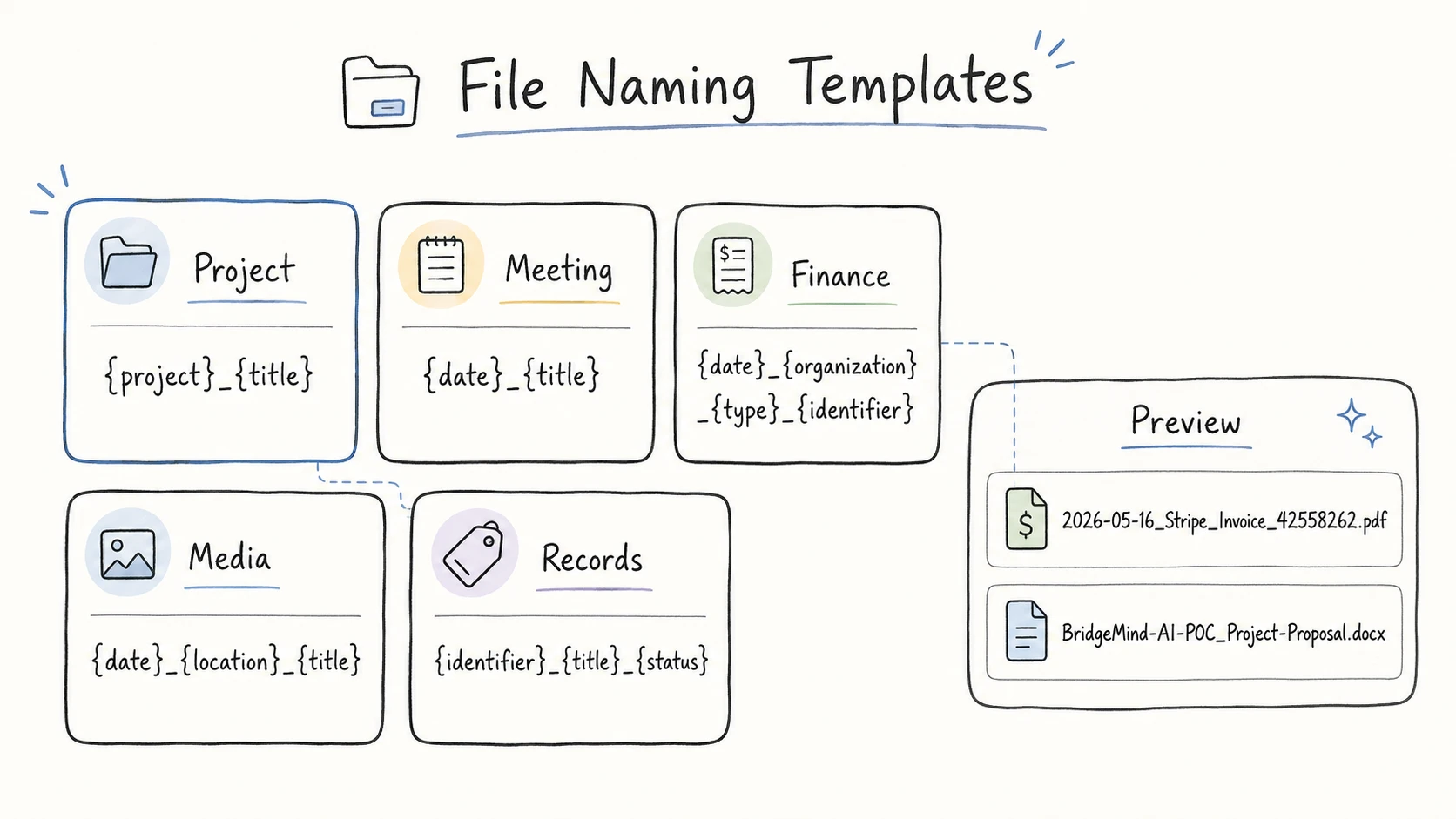
Use practical file naming templates for project and client files, meeting records, knowledge docs, media assets, invoices, contracts, scan folders, and old folders.
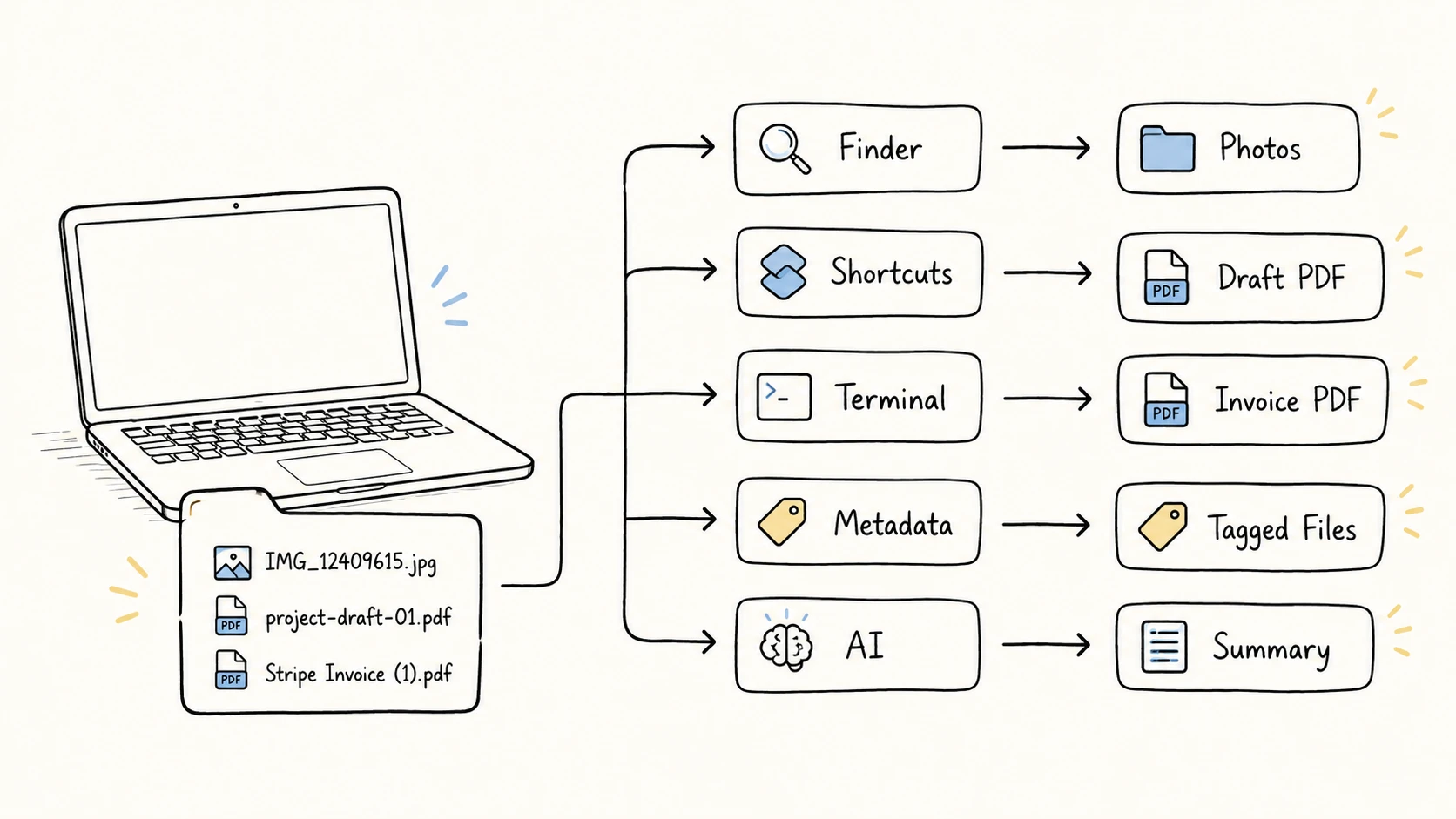
Batch rename files on Mac with Finder, Shortcuts, Automator, Terminal, metadata tools, ExifTool, and AI file renaming.
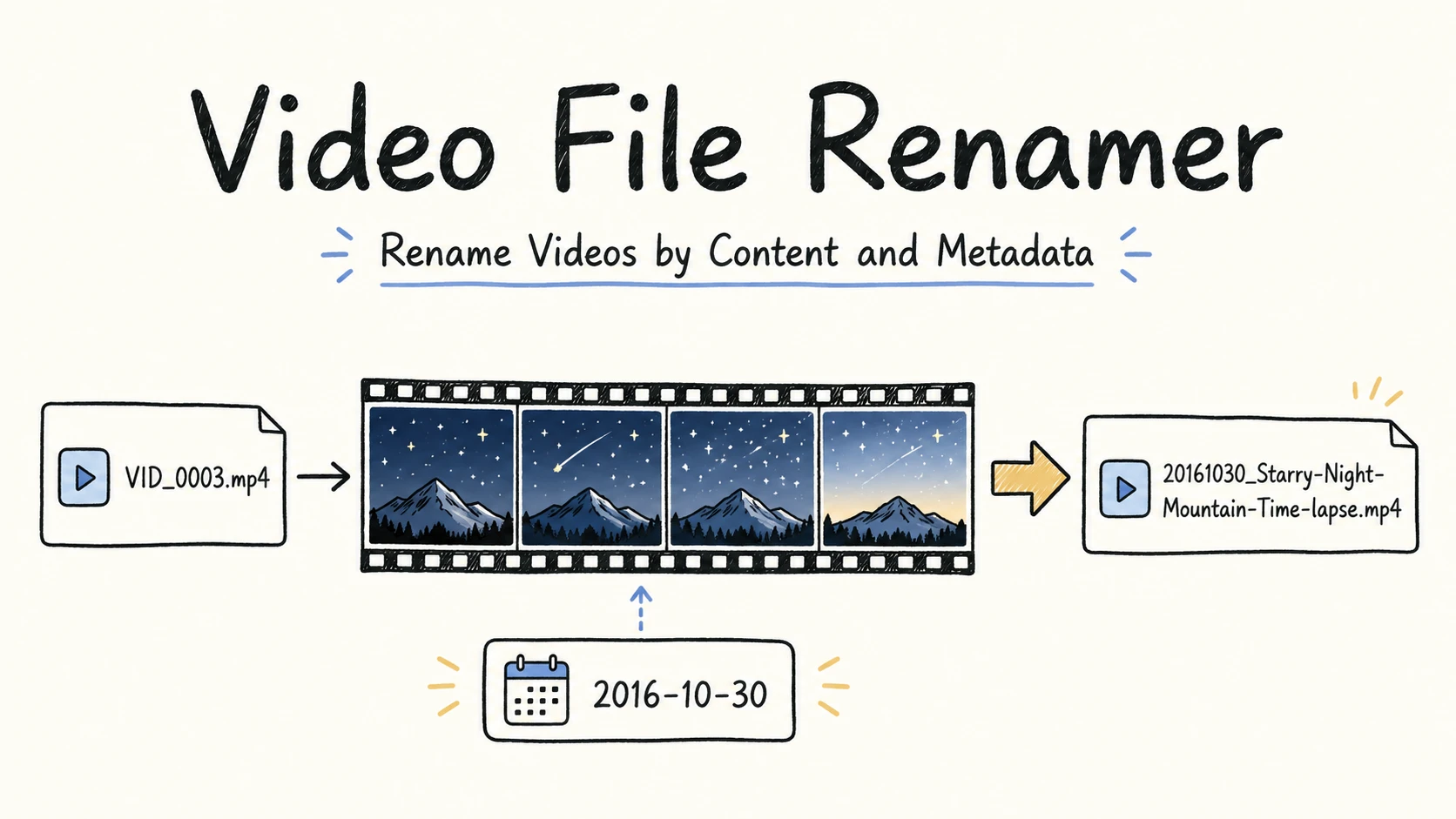
Learn how to rename video files by content and metadata, choose useful fields for footage and screen recordings, and review every name before applying it.
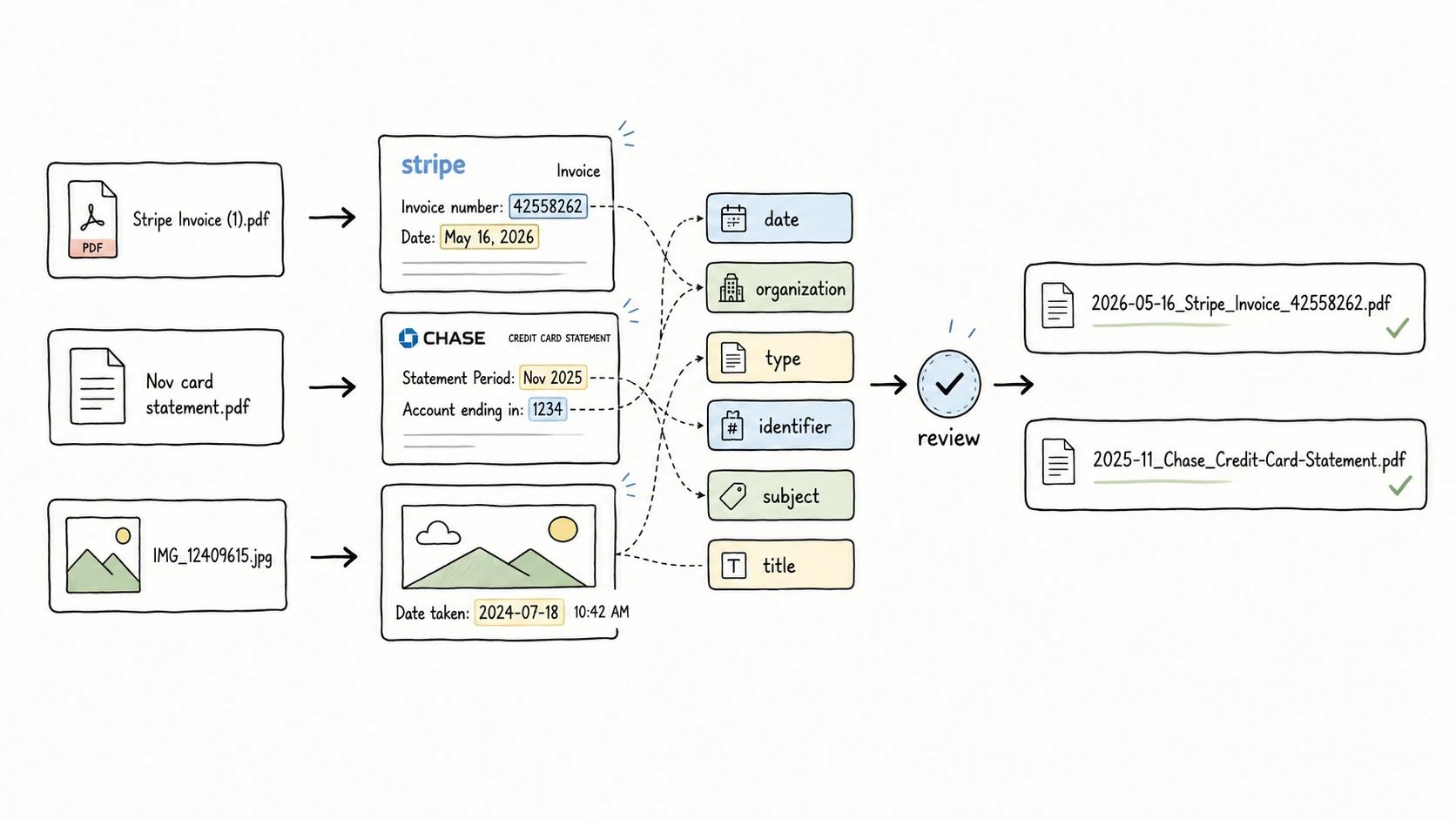
Learn how metadata-driven file naming turns titles, dates, types, projects, organizations, identifiers, status, and versions into clear, searchable filenames.
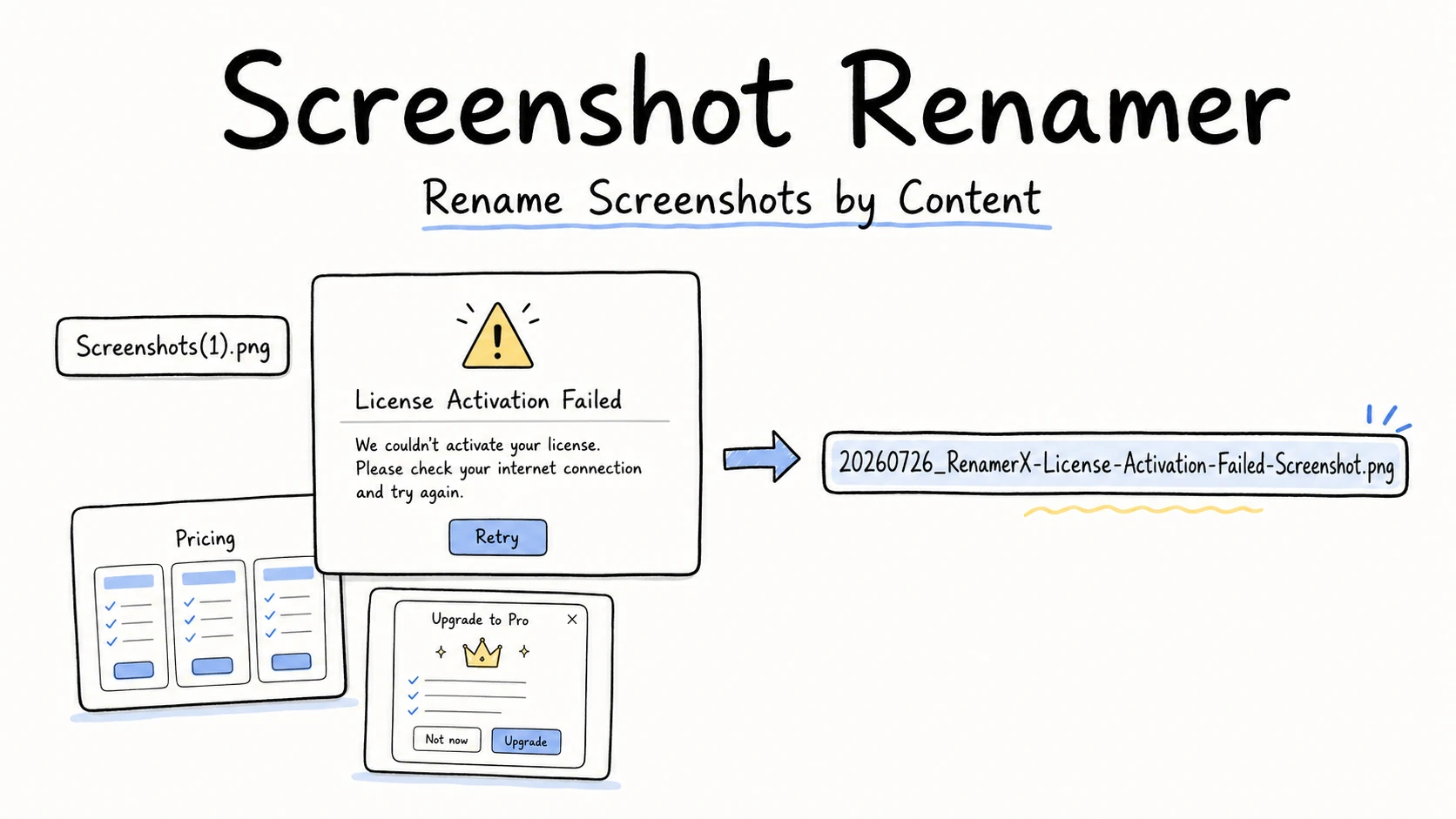
Learn how to rename screenshots by visible content, choose a useful naming pattern, review ambiguous images, and automate a stable screenshot workflow.
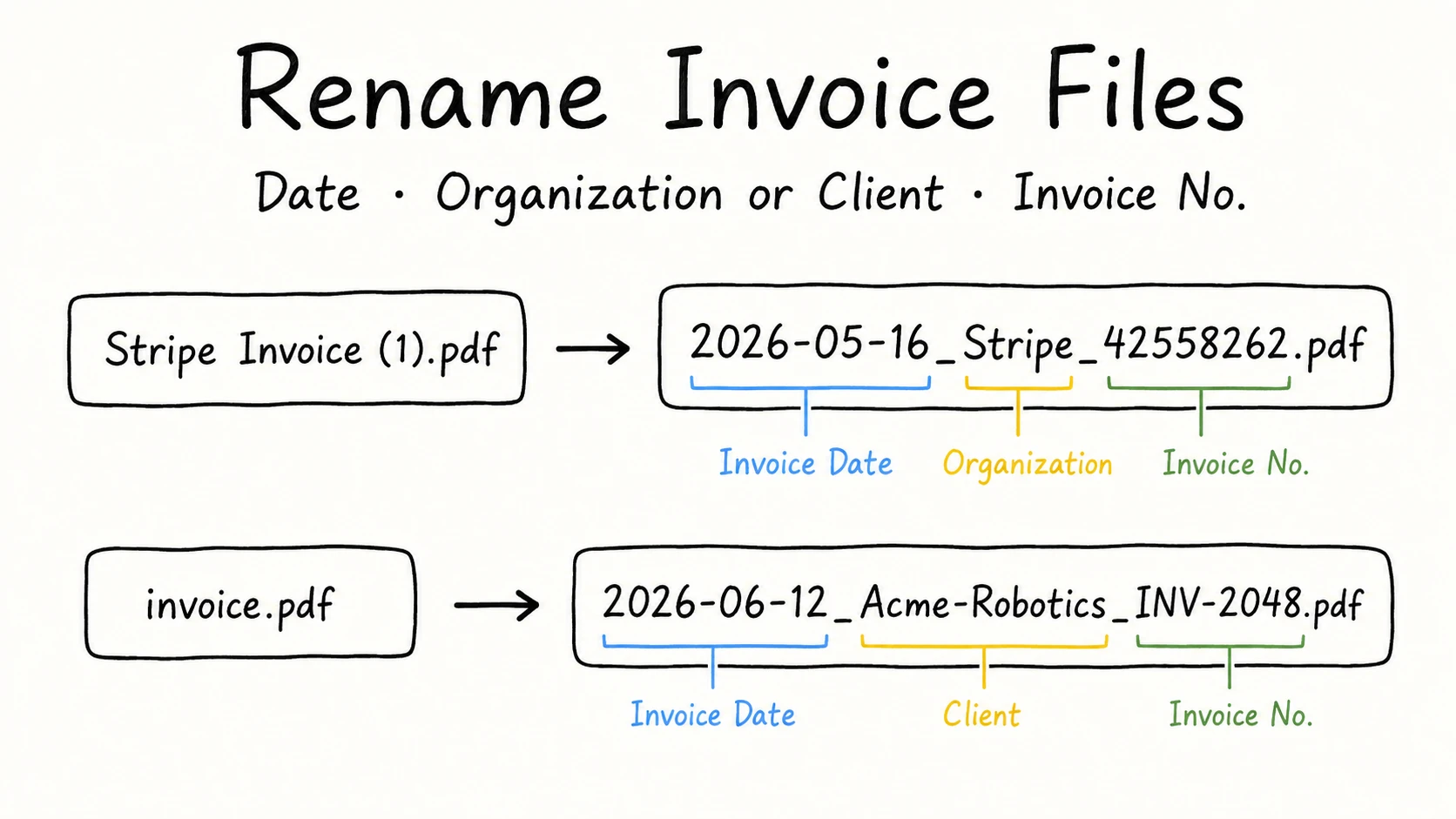
Learn how to rename invoice files with the date, organization or client, and invoice number that make them easier to recognize, search, and sort.
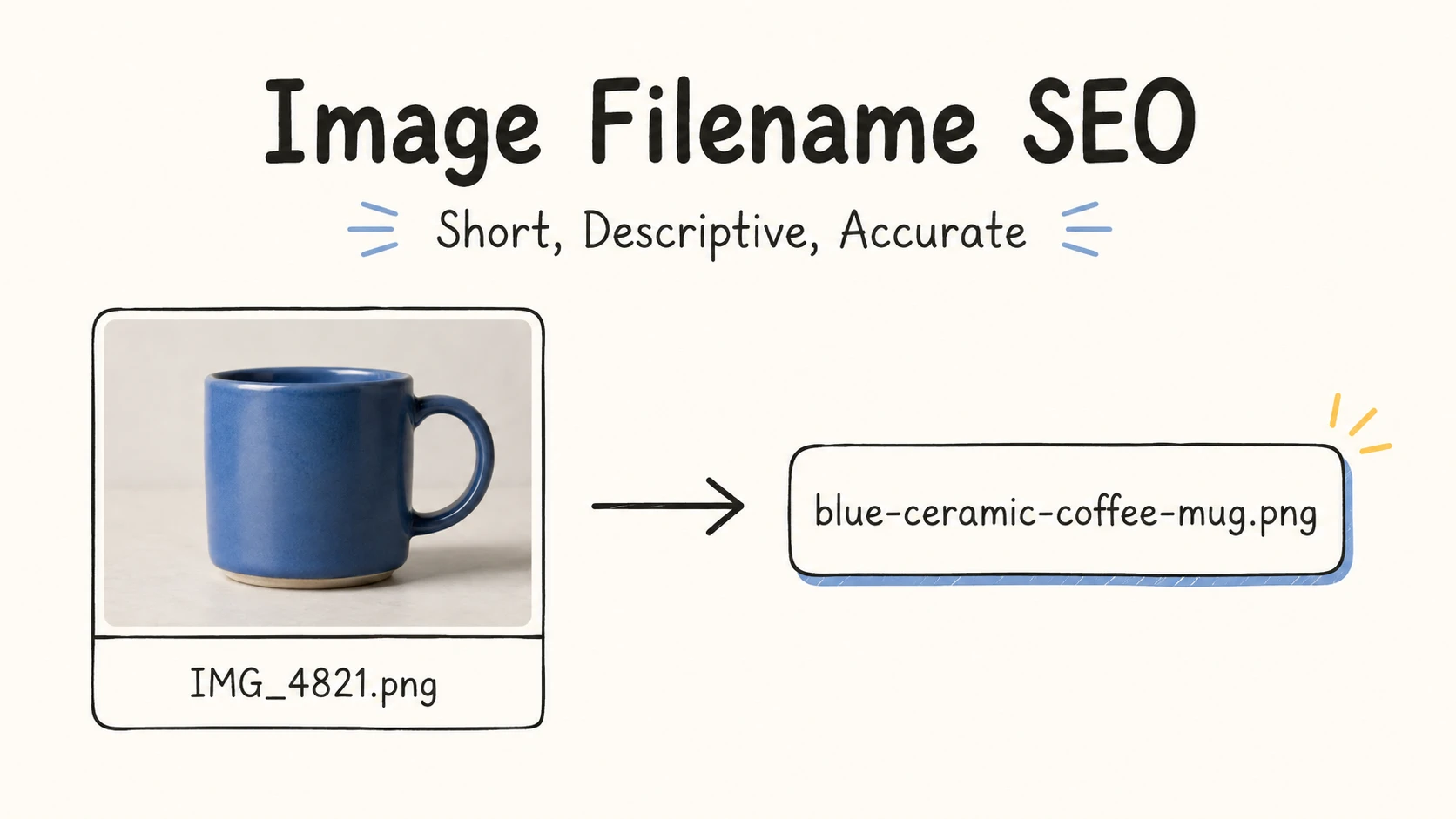
Learn how to create short, descriptive image filenames, understand their real SEO role, and distinguish filenames from alt text and page context.
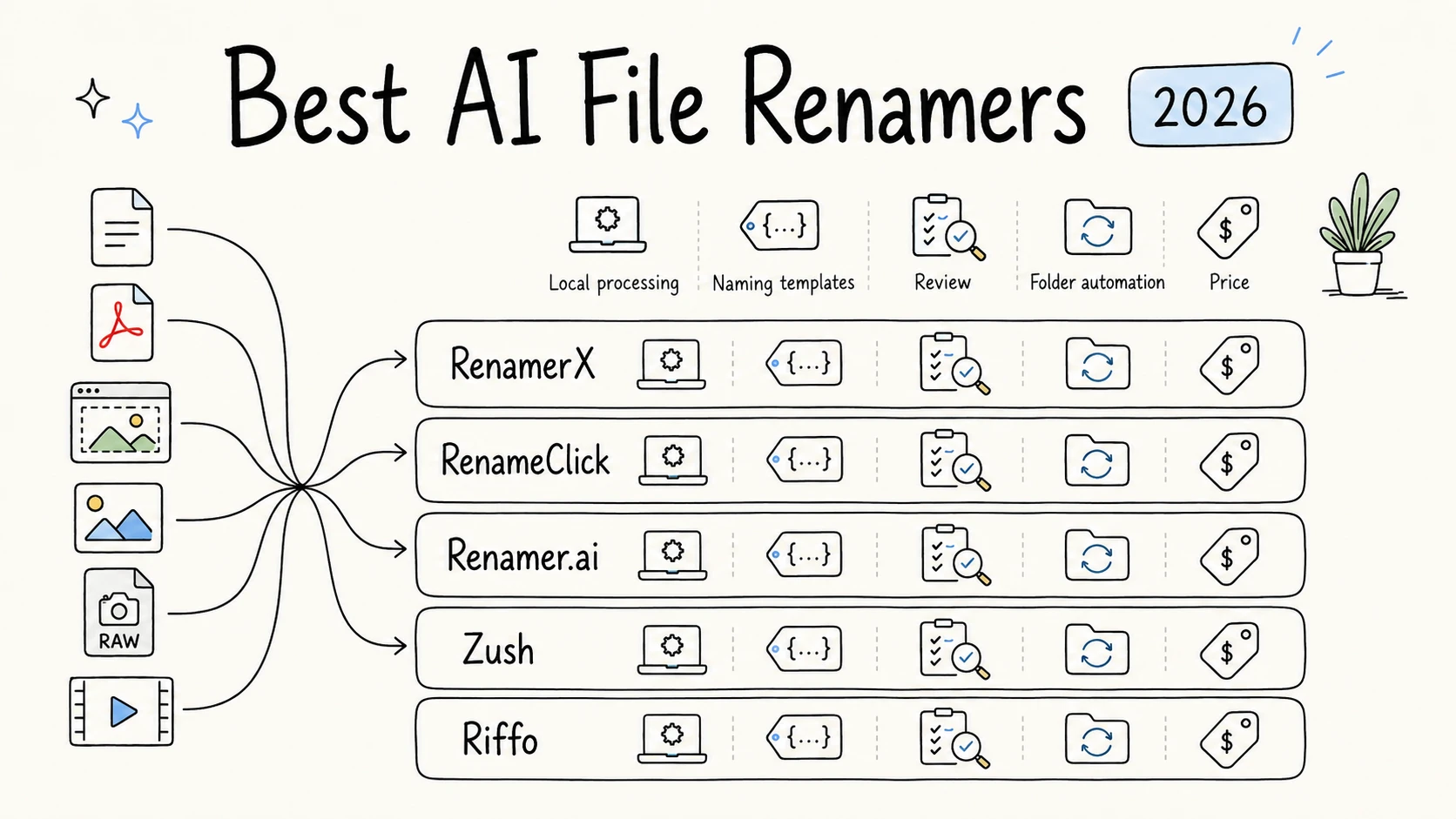
We tested five AI file renamers on the same 50 mixed files and compared naming results, format support, privacy, templates, automation, recovery, and price.
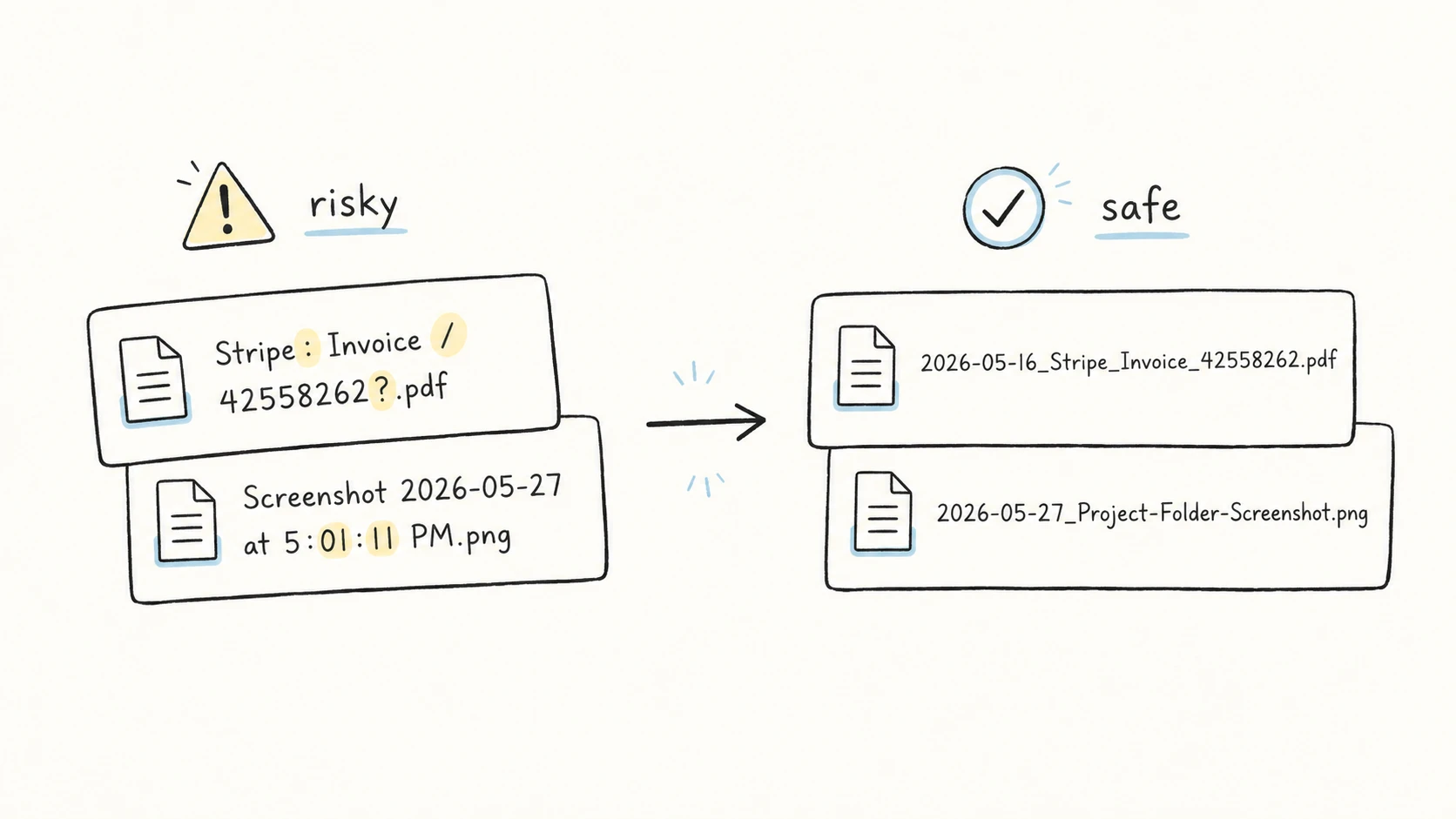
Safe filenames should use letters, numbers, hyphens, underscores, and one final extension dot. Learn which characters to avoid on Windows, cloud drives, scripts, and shared folders.
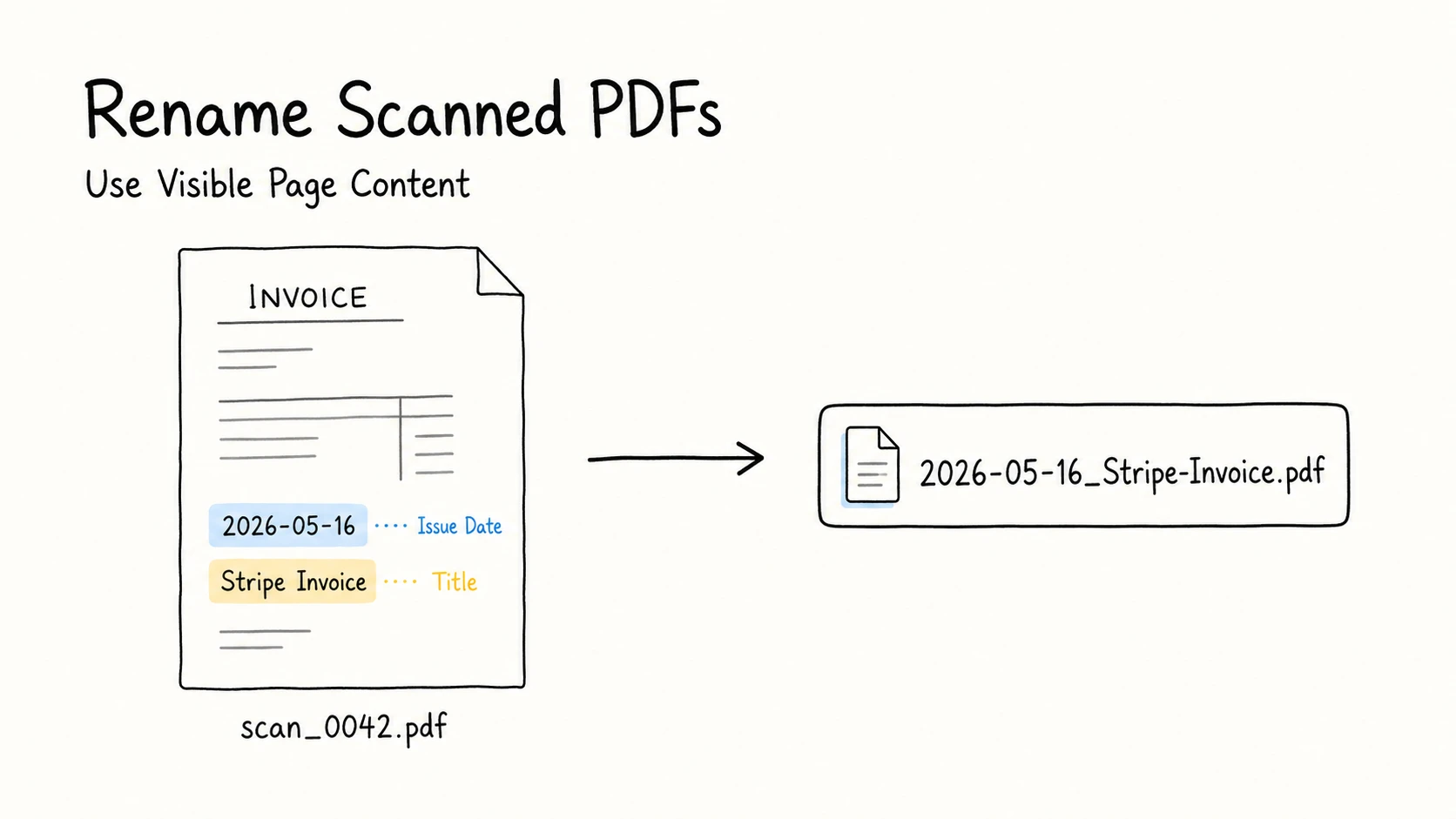
Learn how to turn scanner-generated names into clear, searchable filenames for invoices, agreements, certificates, reports, and other scanned PDFs.
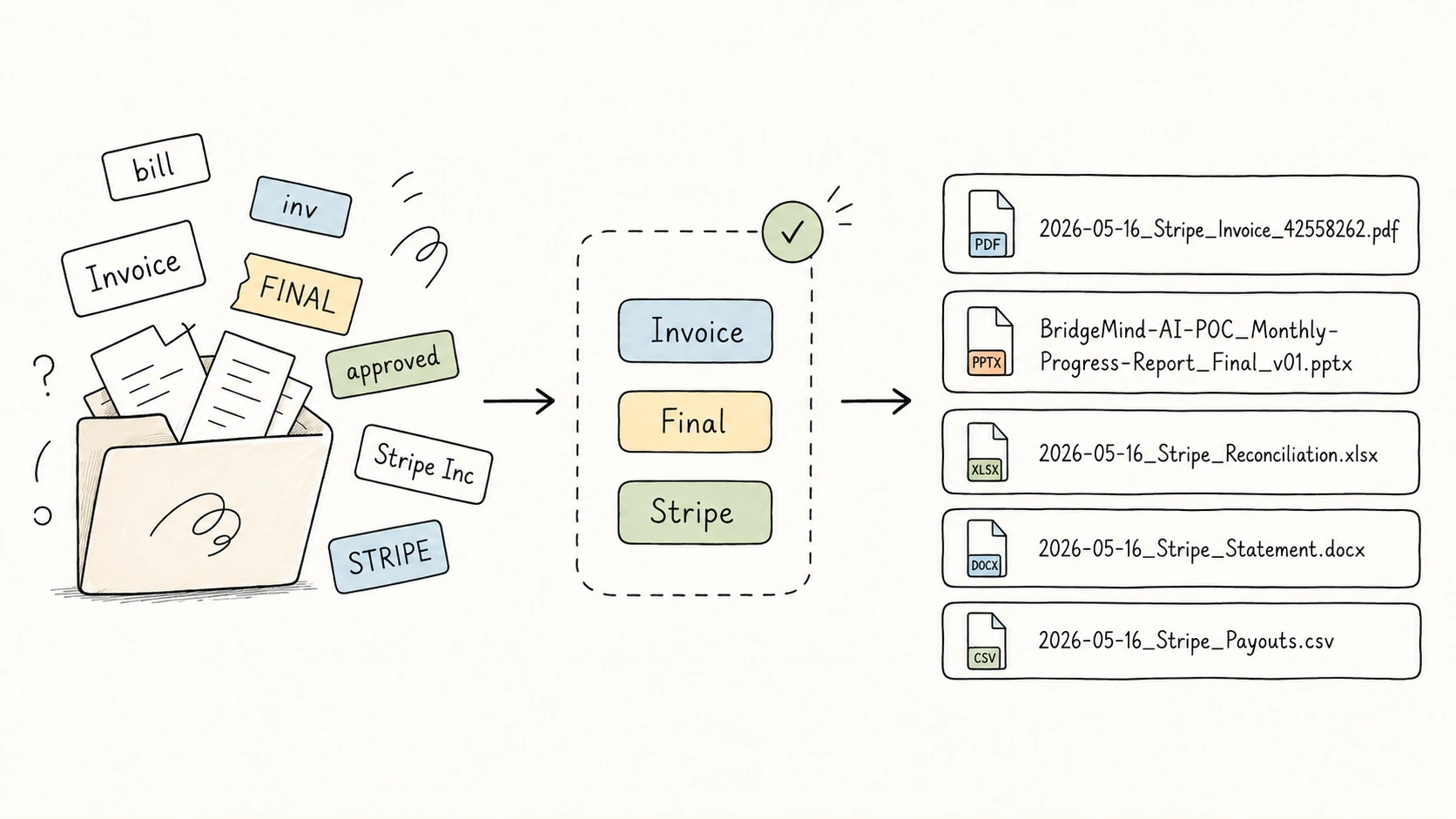
Use controlled vocabulary in file naming to keep repeated fields like type, subject, status, organization, and project consistent across folders and teams.
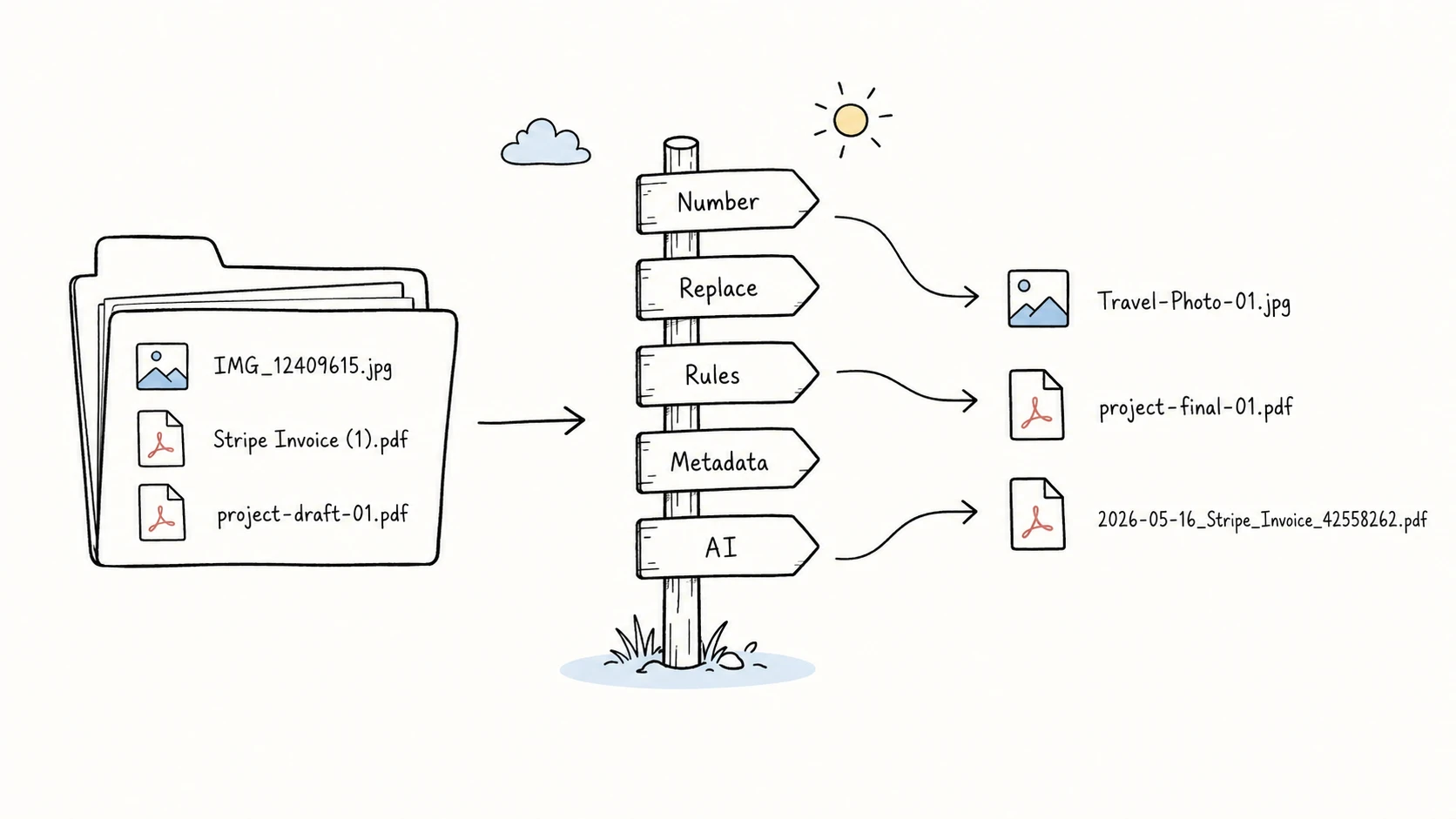
Choose the right way to batch rename files, from numbering and text replacement to metadata, scripts, and AI-based naming.
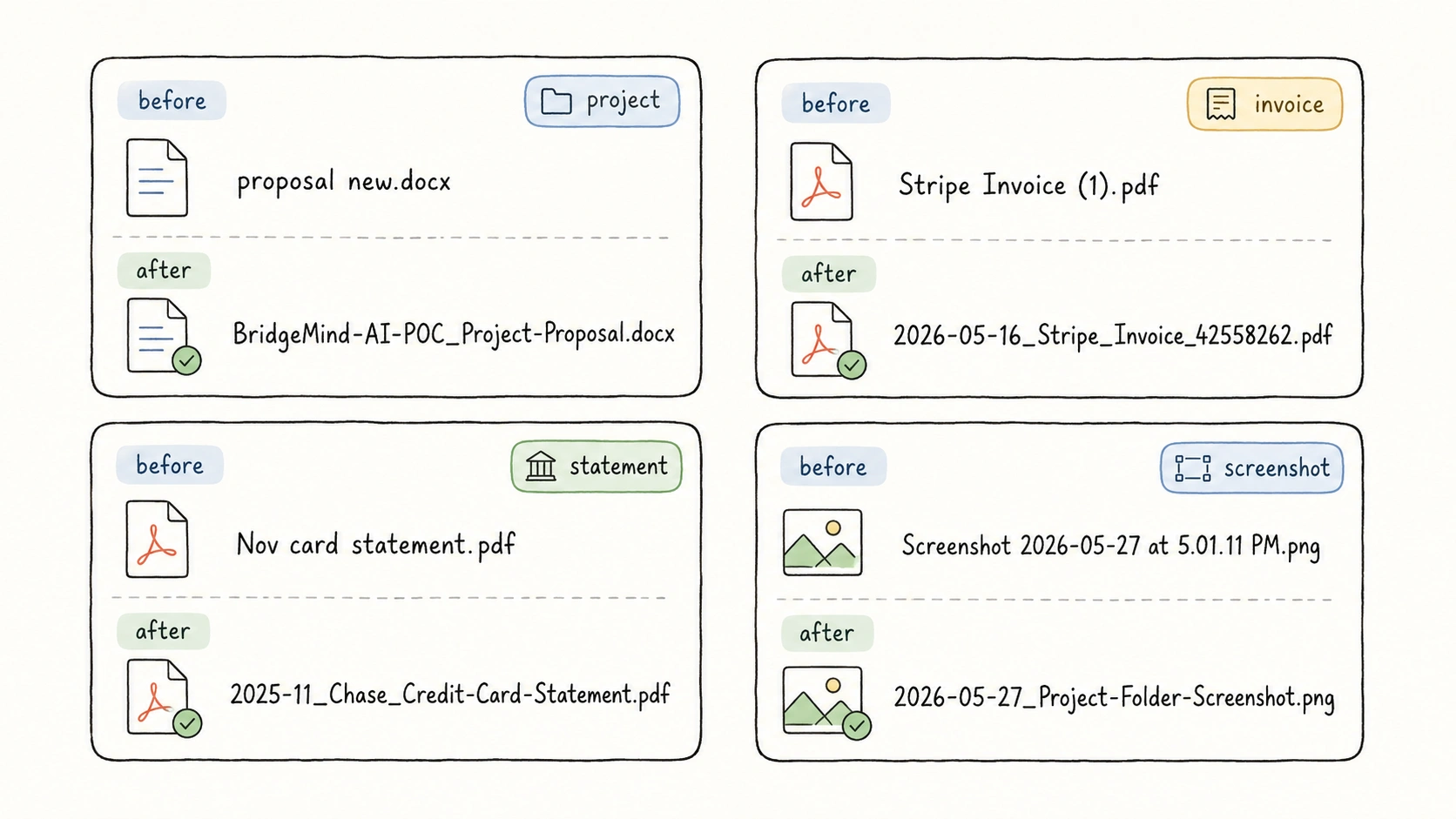
See practical before-and-after file naming examples for project files, meetings, notes, media assets, invoices, contracts, scans, downloads, and old folders.
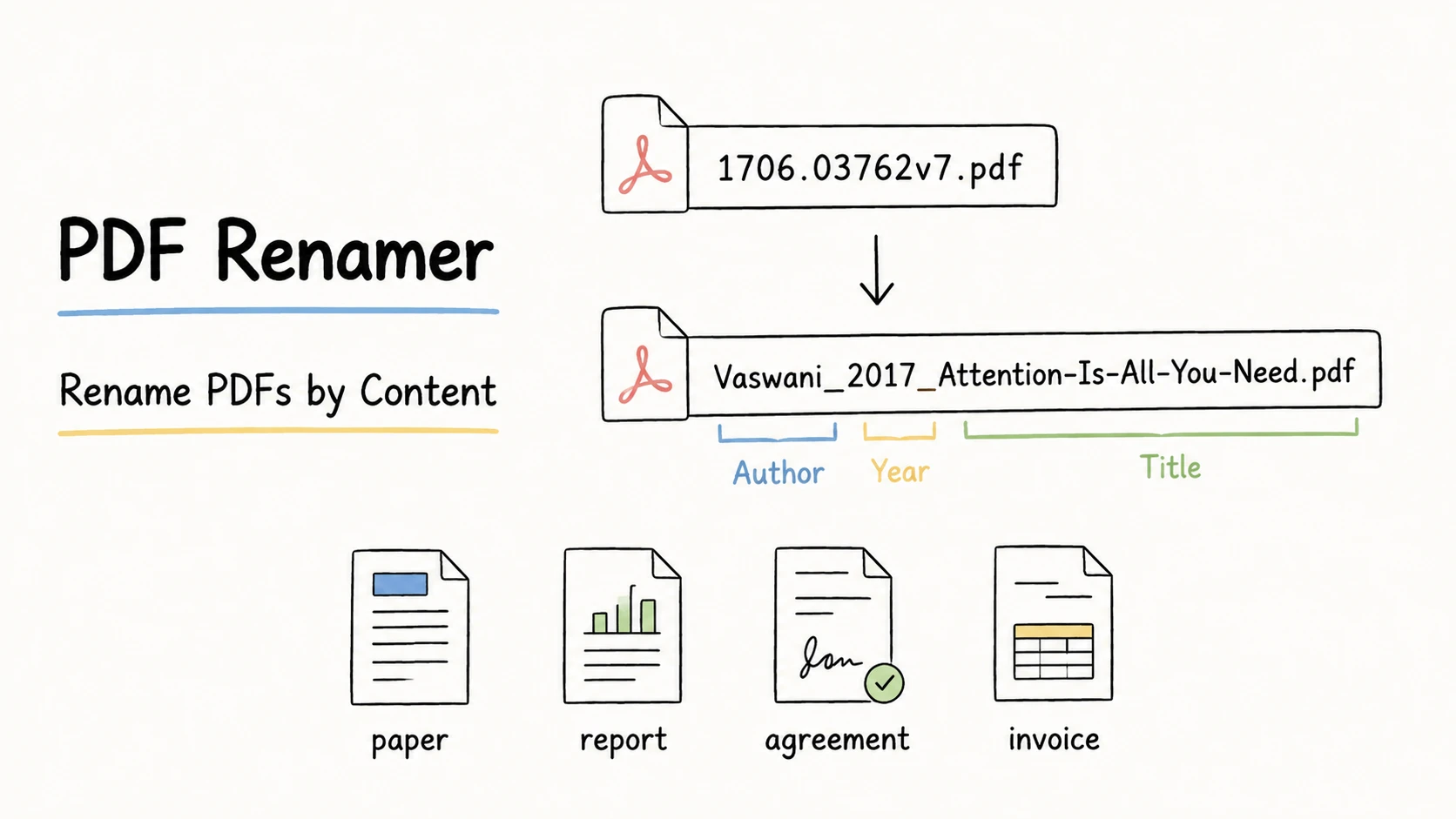
Learn how to rename PDF files by content, choose useful filename information for papers, reports, contracts, and invoices, and review every name before applying it.
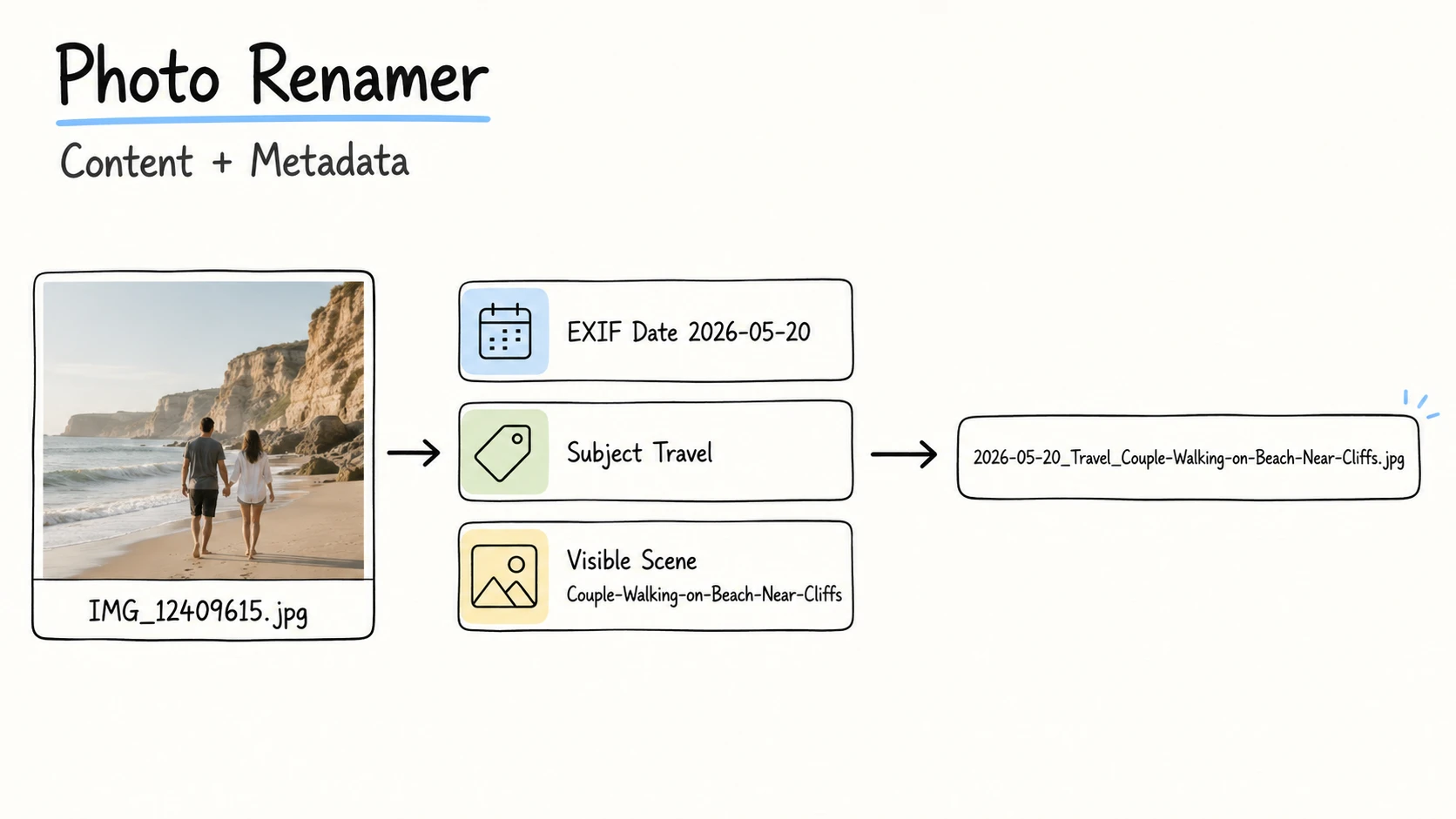
Learn how to choose useful photo filename information, get it from visible content, EXIF, IPTC/XMP, or confirmed context, and rename a collection safely.
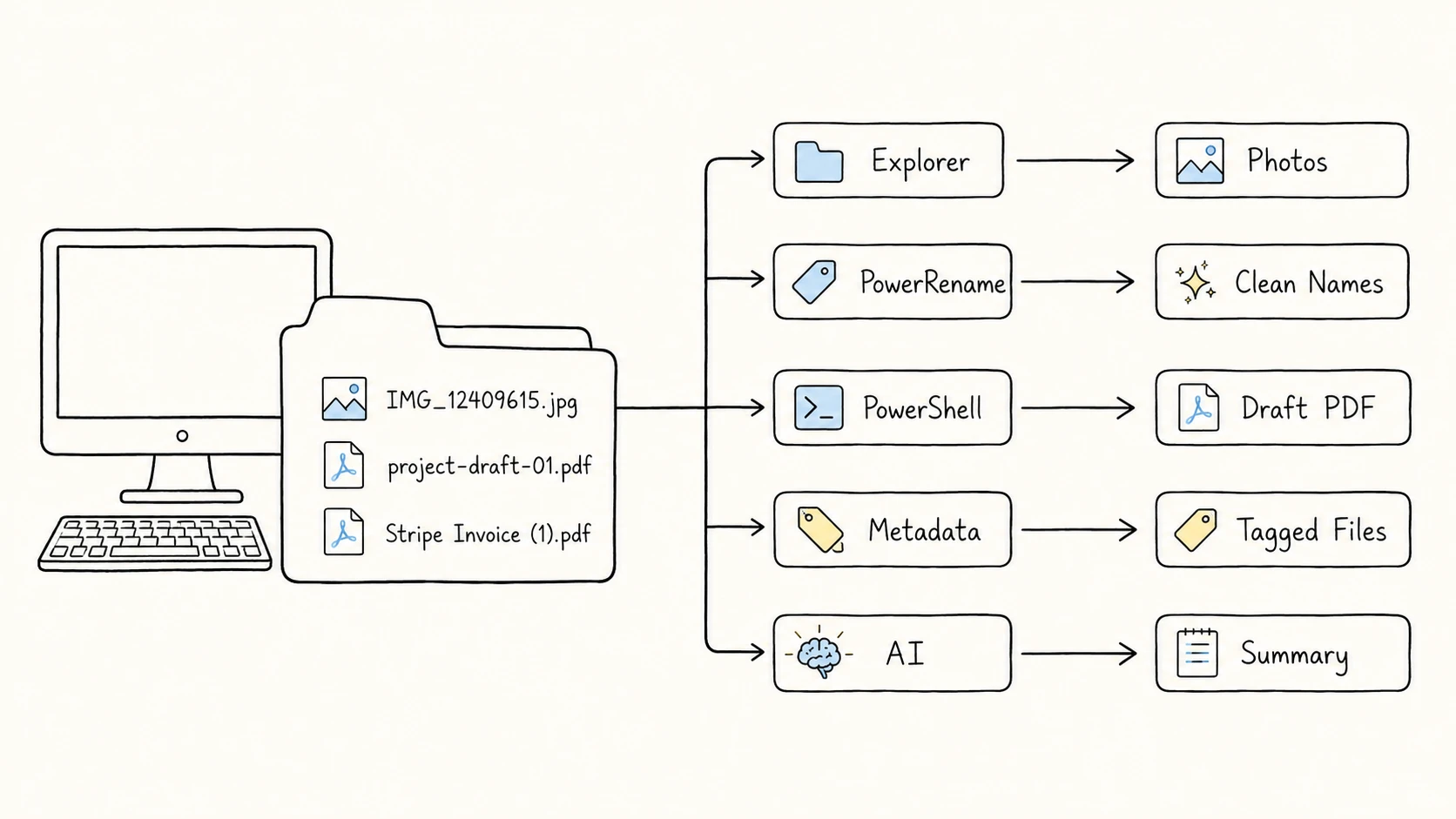
Batch rename files on Windows with File Explorer, PowerRename, PowerShell, Command Prompt, metadata tools, and AI file renaming.