Safe Filename Characters: What to Use and What to Avoid
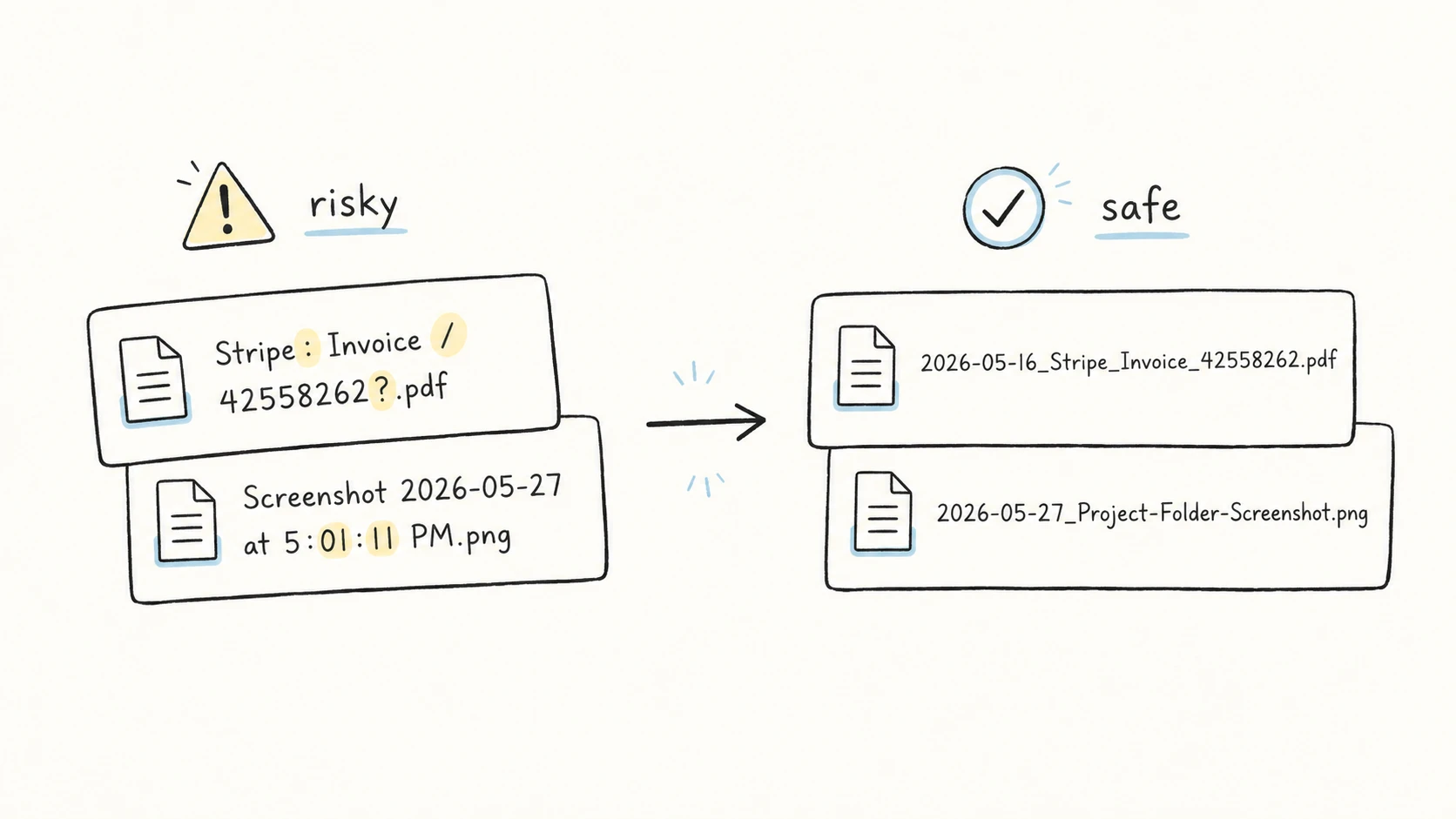
Stripe: Invoice / 42558262?.pdf looks readable, but it is a risky filename. The slash can be read as a path separator, the colon is reserved on Windows, and the question mark is also reserved on Windows.
A safer version keeps the meaning and removes the risky characters:
2026-05-16_Stripe_Invoice_42558262.pdf
This guide is for files that may move across Mac, Windows, cloud drives, scripts, URLs, archives, or shared folders. If a file stays inside one local app forever, rules can be looser. Shared filenames need a smaller, more predictable character set.
Quick Answer: Safe Filename Characters
Safe filename characters are letters, numbers, hyphens, underscores, and one final period before the file extension. For shared or automated folders, avoid Windows-reserved characters, control characters, reserved device names, leading or trailing spaces, and names that differ only by case.
Use this as the safe default:
letters:      A-Z a-z
numbers:      0-9
separators:   - _
extension:    one final . before the file type
date style:   YYYY-MM-DD or YYYYMMDD
IBM's summary of the POSIX portable filename character set includes letters, numbers, period, underscore, and hyphen, and warns against nulls and slash characters. IBM: Naming files
| Use | Avoid | Be careful with |
|---|---|---|
A-Z, a-z, 0-9 | Windows-reserved characters | spaces |
- and _ | ASCII NUL and control characters | extra periods |
one final .ext | CON, NUL, PRN, AUX and similar reserved names | #, %, emoji |
YYYY-MM-DD or YYYYMMDD dates | leading or trailing spaces and periods | case-only differences |
The table is intentionally conservative. You may be able to create filenames with more characters on a specific system, but the narrower set travels better.
Characters to Avoid in File Names
Avoid these characters when a file may touch Windows, OneDrive, SharePoint, scripts, URLs, or another person's computer:
< > : " / \ | ? *
Microsoft lists those characters as reserved in Windows filenames. The same documentation reserves ASCII NUL, control characters 1 through 31, and device names such as CON, PRN, AUX, NUL, COM1 through COM9, and LPT1 through LPT9, including those names followed by an extension such as NUL.txt. It also says the Windows shell and user interface do not support filenames ending in a space or period. Microsoft Learn: Naming Files, Paths, and Namespaces
OneDrive and SharePoint add cloud-sync constraints. Microsoft's support page lists the same invalid character set for files and folders, says leading and trailing spaces are not allowed, and notes that some organizations still do not support # and % in names. Microsoft Support: OneDrive and SharePoint restrictions
Here is the practical translation:
| Risky name | Safer name | Why it is safer |
|---|---|---|
Stripe: Invoice / 42558262?.pdf | 2026-05-16_Stripe_Invoice_42558262.pdf | Removes :, /, and ?; keeps date, organization, type, and ID. |
Screenshot 2026-05-27 at 5:01:11 PM.png | 2026-05-27_Project-Folder-Screenshot.png | Removes colon-heavy time text and replaces vague wording with useful context. |
AGR/20240428: Vehicle Purchase Agreement (Signed).pdf | AGR2024042801_Vehicle-Purchase-Agreement_Signed.pdf | Replaces path-like punctuation with stable separators. |
The point is not to make names cryptic. The point is to preserve meaning with characters that are less likely to be interpreted as syntax.
Spaces, Dots, Case, and Unicode
Some filename problems are not about a single forbidden character. They come from characters that are allowed in one place but fragile in another.
Spaces. Spaces are common and often allowed locally, but they are a weak default for shared or automated folders. The National Archives' Records Express guidance recommends replacing spaces with underscores or hyphens, avoiding punctuation and special characters, keeping file extensions, using leading zeroes for numeric sorting, and using YYYY-MM-DD or YYYYMMDD for dates. Records Express: Best practices for file naming
Dots. Keep the final dot for the extension:
2026-05-16_Stripe_Invoice_42558262.pdf
Extra dots can be valid, but they make parsing harder:
BridgeMind.AI.POC.Monthly.Progress.Report.Final.v1.pptx
This is clearer:
BridgeMind-AI-POC_Monthly-Progress-Report_Final_v01.pptx
NARA's guidance also says filenames should include a file format extension, written as a period followed by the extension, such as .tif, .jpg, .pdf, or .wav. Records Express
Case. Do not rely on case-only differences. Invoice.pdf and invoice.pdf may be distinct in one environment and collide in another. Microsoft warns developers not to assume case sensitivity in names. Microsoft Learn
Unicode. Emoji and non-ASCII text are not automatically wrong. Chinese titles, accented names, and other Unicode text may be appropriate when the whole workflow supports them. The portability warning is narrower: dates, identifiers, separators, and other structural fields should stay conservative in long-lived shared folders. Harvard's research data guidance similarly recommends planning separators, avoiding spaces or special characters, and thinking about search and sort order before naming files. Harvard Biomedical Data Management: File Naming Conventions
Make Risky Names Safe Without Losing Meaning
Technical safety is only half the job. A filename also needs to help you recognize the file later without opening it.
These examples use the same real-world scenarios as the companion guides to file naming examples and file naming templates.
| Weak or risky | Better | What changed |
|---|---|---|
Stripe: Invoice / 42558262?.pdf | 2026-05-16_Stripe_Invoice_42558262.pdf | The unsafe punctuation is removed, and the date makes sorting easier. |
Screenshot 2026-05-27 at 5:01:11 PM.png | 2026-05-27_Project-Folder-Screenshot.png | The file becomes searchable by date, context, and type. |
AGR/20240428: Vehicle Purchase Agreement (Signed).pdf | AGR2024042801_Vehicle-Purchase-Agreement_Signed.pdf | The agreement code, date, title, and status are kept in predictable fields. |
BridgeMind AI POC monthly progress report FINAL v1.pptx | BridgeMind-AI-POC_Monthly-Progress-Report_Final_v01.pptx | A vague name becomes a project, title, status, and version. |
If a date belongs in the name, use one date style consistently. For the details, see date format in file names.
How RenamerX Handles Safe Filename Rules
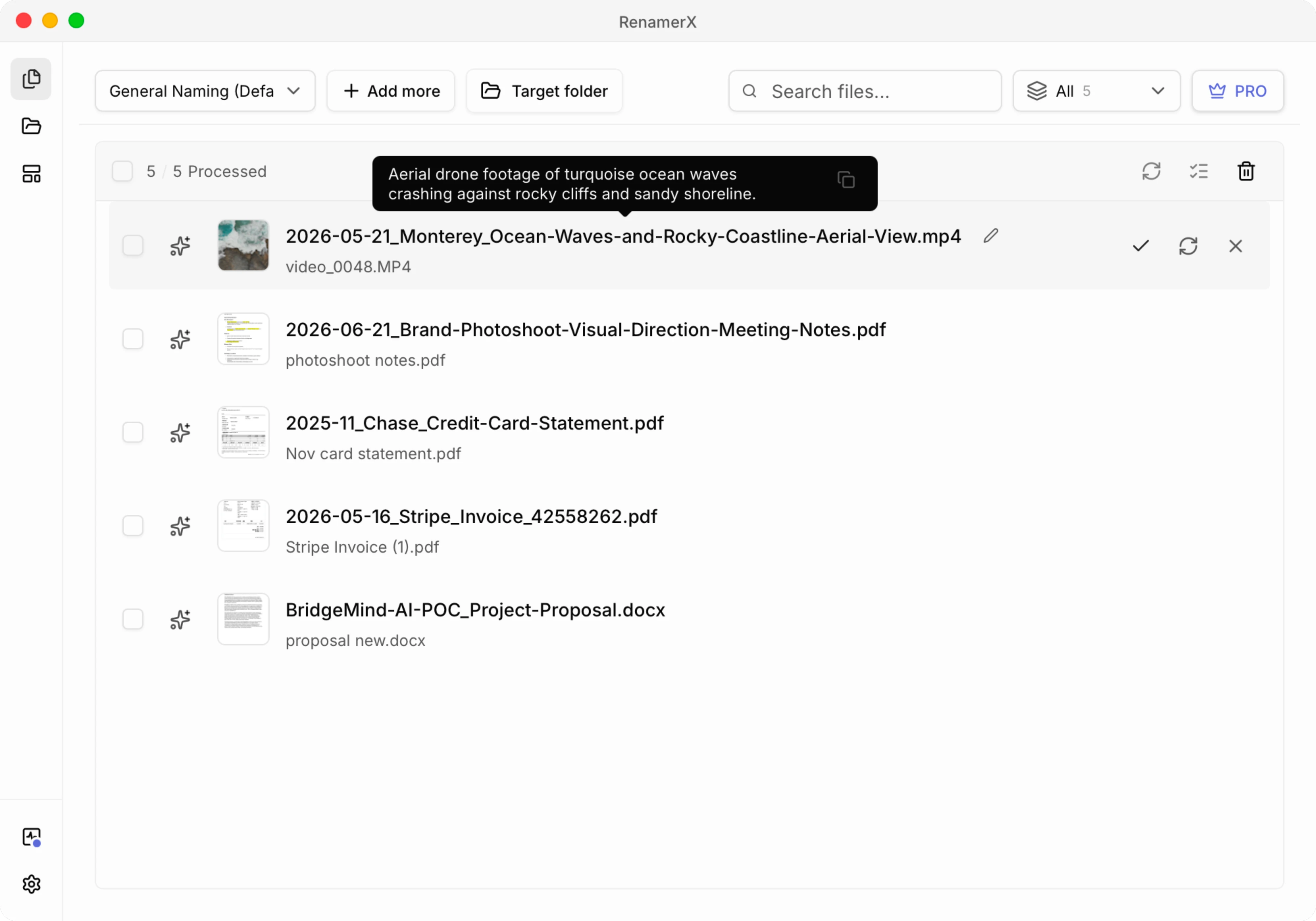
RenamerX is useful when a safe filename depends on information inside the file, not only on character cleanup.
The workflow is:
- RenamerX extracts structured fields from the file, such as date, title, organization, project, identifier, status, or version.
- The naming template decides field order, date format, separator choice, output language, and organization mode.
- You review the suggested names before Apply, edit weak suggestions, skip edge cases, and use Undo if an applied rename is wrong.
This keeps the most important rule in the template instead of in memory. RenamerX reference docs explain the same model: start with useful fields and consistent separators, format dates deliberately, and assemble filenames from structured metadata instead of freeform guesses. See File Naming Best Practices, Date Formatting, and Dublin Core Metadata.
For a cautious rollout, start in Batch Rename: test a small folder, compare original and suggested names, apply only the names you trust, and then scale the template once the pattern is stable.
Safe Filename Checklist
Before you apply a batch rename, check the filename against this list:
- Does it avoid
< > : " / \ | ? *? - Does it avoid reserved names such as
CON,NUL,PRN,AUX,COM1, andLPT1? - Does it avoid leading or trailing spaces and periods?
- Does it use one consistent separator style?
- Is the final period reserved for the extension?
- Would it still make sense after being copied to Windows or a cloud drive?
- Does the filename still describe the file after risky characters are removed?
Related Guides
- Start with file naming conventions when you want the full naming system.
- Use file naming templates when you need reusable patterns with safe separators.
- Use file naming examples when you want before-and-after names that remove risky characters without losing meaning.
- Use date format in file names when date separators, timestamps, or time formats affect filename safety.
- Use metadata-driven file naming when safe filenames should be assembled from extracted fields.
- Use controlled vocabulary for file naming when repeated values need consistent spelling as well as safe characters.