Controlled Vocabulary for File Naming: Keep Names Consistent Across a Team
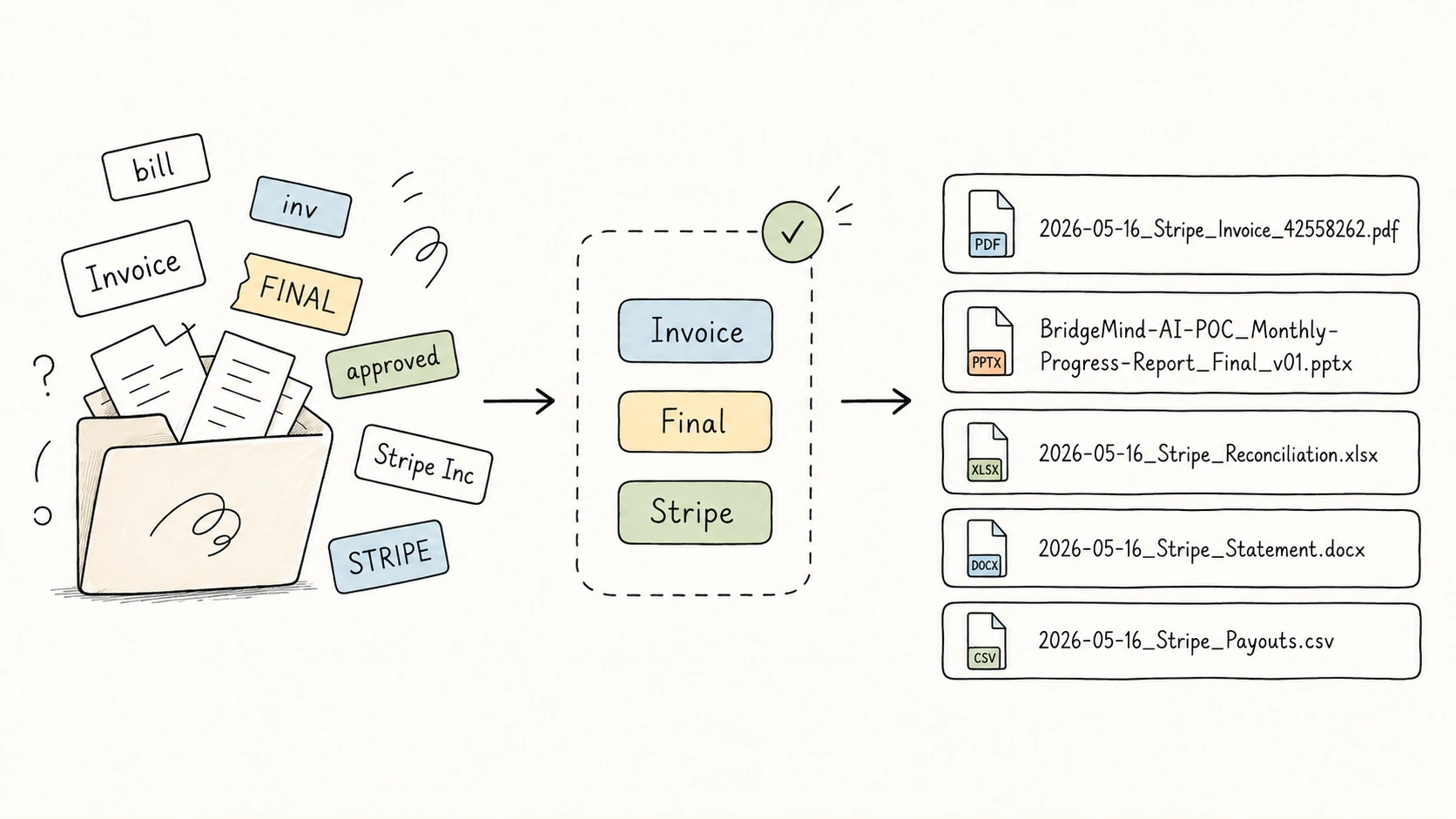
Three filenames can all look reasonable and still make the folder worse:
2026-05-16_Stripe_Invoice_42558262.pdf
2026-05-17_stripe_bill_42569912.pdf
2026-05-18_Stripe-Payments_INV_42570001.pdf
Each name tells you something. Together, they drift. Invoice, bill, and INV may mean the same thing. Stripe, stripe, and Stripe-Payments may refer to the same organization. Search, sorting, filtering, and batch cleanup all get weaker because the repeated values are not controlled.
That is what a controlled vocabulary fixes.
The Short Answer
A controlled vocabulary for file naming is a small approved list of values for repeated filename fields, such as type, subject, status, organization, or project.
It does not control the whole filename. It controls the parts that should not drift.
| Messy values | Approved value |
|---|---|
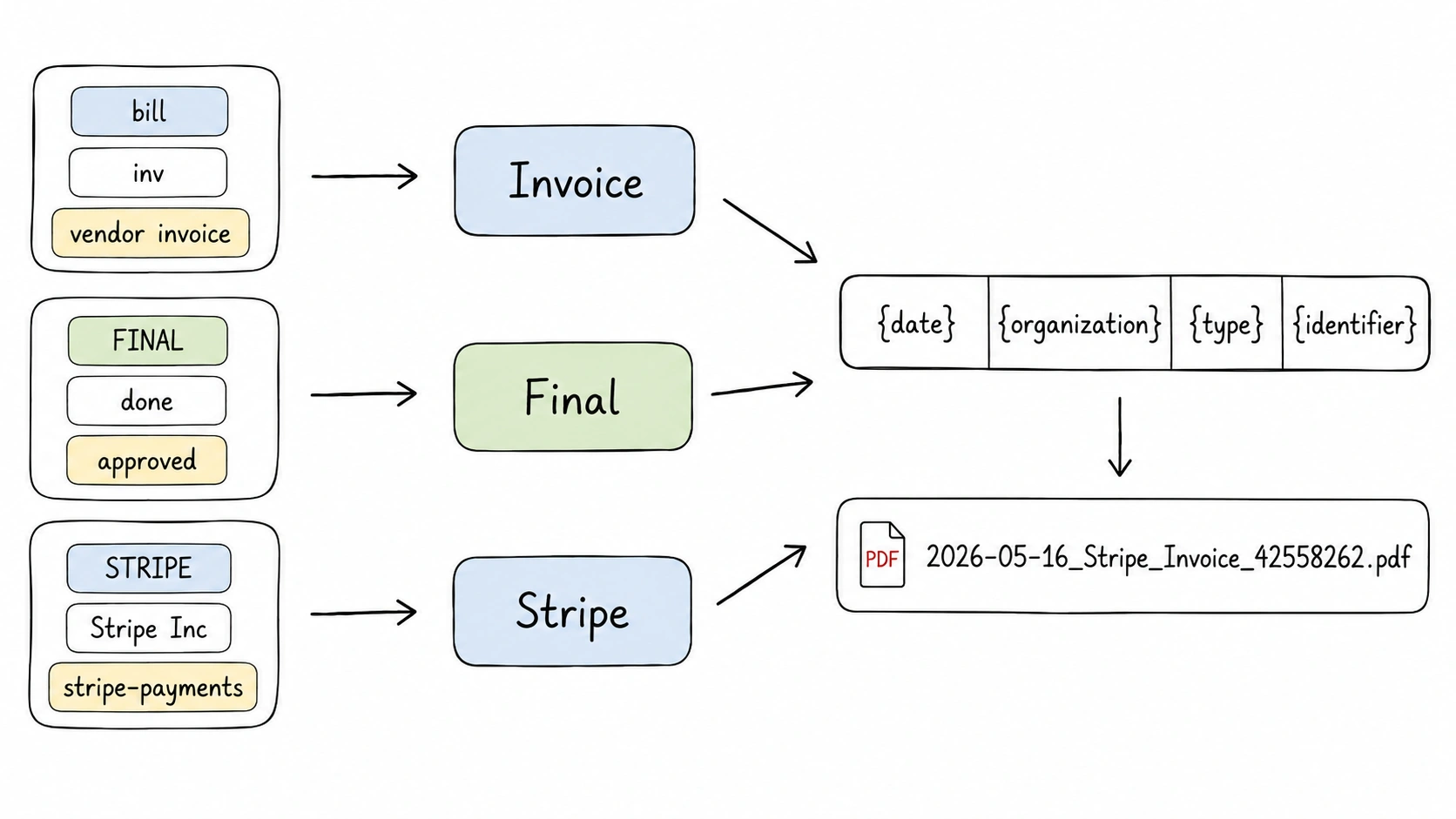
invoice, bill, inv, vendor invoice | Invoice |
draft, working, wip | Draft |
final, FINAL, done | Final |
STRIPE, Stripe Inc, stripe-payments | Stripe |
Princeton University Records Management gives a simple version of this rule: teams should agree on vocabulary, punctuation, dates, element order, and number formats when creating a file naming convention. Princeton University Records Management
Why Good Filenames Still Drift
Most filename advice focuses on structure: use dates, avoid unsafe characters, keep names short, preserve the extension, and write names consistently. NARA's file naming guidance says names should be unique, consistently structured, persistent, short enough to avoid trouble, and should use safe characters and standard date notation. NARA Records Express
That advice is right, but structure is only half the problem. The values inside the structure also need discipline.
{date}_{organization}_{type}_{identifier}
This template is useful only if the same organization and type keep the same approved form. Otherwise the folder still fragments:
2026-05-16_Stripe_Invoice_42558262.pdf
2026-05-17_stripe_bill_42569912.pdf
2026-05-18_Stripe-Payments_INV_42570001.pdf
The template stayed the same. The vocabulary did not.
Which Filename Fields Should Be Controlled?
Control repeated categorical fields. Do not control every word.
| Field | Control level | Reason |
|---|---|---|
type | Strongly controlled | Invoice, Receipt, Contract, and Report should not drift. |
status | Strongly controlled | Status values become noisy quickly: Draft, Final, Archived. |
subject | Controlled | Useful for broad grouping, but should stay scoped. |
organization | Registry | Treat names as authority records with preferred forms. |
project | Registry | Usually local to a team, client, or workstream. |
client | Sometimes controlled | Important in agency, consulting, legal, and finance workflows. |
title | Usually freeform | The title should stay descriptive and specific. |
date | Format-controlled | Use a date format such as YYYY-MM-DD, not a vocabulary. |
identifier | Pattern-controlled | Validate the format, but do not turn IDs into vocabulary terms. |
version | Pattern-controlled | Use a convention such as v01, v02, or rev-a. |
The important split is simple: controlled vocabulary is best for repeated meanings. Formatting rules are better for dates, IDs, versions, separators, and safe filename characters.
For related rules, see file naming templates, metadata-driven file naming, date formats in file names, and safe filename characters.
Controlled Vocabulary Is Not Tag Soup
A controlled vocabulary is not a pile of tags. It is an approved list for a specific field.
That field boundary matters:
| Question | Better field | Example value |
|---|---|---|
| What kind of file is this? | type | Invoice |
| What broad area is it about? | subject | Finance |
| What state is it in? | status | Final |
| Which organization is involved? | organization | Stripe |
| Which workstream owns it? | project | BridgeMind-AI-POC |
If Finance, Invoice, and Final all go into one loose tag field, the filename becomes harder to reason about. The same problem appears in metadata systems. Dublin Core treats Subject as the topic of a resource and recommends using a controlled vocabulary. It also treats Type as the nature or genre of a resource and recommends a controlled vocabulary for that field too. Dublin Core Metadata Element Set
For filenames, you do not need all of Dublin Core. You need a small application profile: the few fields that help people scan, sort, search, and avoid confusing similar files. DCMI application profile guidance makes the same broader point: metadata requirements vary by application, and a profile should define the terms and rules needed for a specific use. DCMI Application Profile Guidelines
Borrow the Principle, Not the Whole Library
Controlled vocabularies come from serious information management work. IPTC uses NewsCodes and Media Topics to help news organizations assign consistent metadata across text, photos, video, and other media. The Library of Congress maintains vocabularies for subject, genre, format, names, and other access points. NISO Z39.19 gives guidance for building and managing controlled vocabularies, including lists, synonym rings, taxonomies, and thesauri. IPTC NewsCodes, Library of Congress Controlled Vocabularies, NISO Z39.19
That does not mean a team folder needs a giant taxonomy.
Use an external vocabulary when:
- your archive must interoperate with public catalogs or repositories
- the domain already has a trusted vocabulary
- the files will be shared beyond one team or company
- legal, scientific, cultural, or archival consistency matters
Build a local vocabulary when:
- the terms are project, client, team, or department names
- people search using local language
- external vocabularies are too broad
- the team needs a small naming convention, not a full cataloging system
UCLA's Modern Endangered Archives Program makes this point well for subject metadata: recognized vocabularies are useful, but they do not fit every project, and local or project-specific vocabularies can be more relevant when external vocabularies do not work. UCLA MEAP
How to Design a Controlled Vocabulary for File Naming
Start from real files, not from an abstract taxonomy.
- Audit 50 to 100 real filenames.
- Mark repeated concepts: document type, subject, status, organization, project, client, department.
- Choose which fields need controlled values.
- Pick one preferred term for each concept.
- Record common variants as aliases or notes.
- Add short scope notes for terms that are easy to confuse.
- Keep status and type lists small.
- Test the vocabulary on a messy folder before using it broadly.
For example:
| Variants found | Preferred term | Scope note |
|---|---|---|
bill, inv, vendor invoice | Invoice | Request for payment. Do not use for proof of payment. |
receipt, payment proof, paid invoice | Receipt | Proof that payment happened. |
done, approved, FINAL | Final | Completed output ready for normal use. |
STRIPE, Stripe Inc, Stripe Payments | Stripe | Preferred organization display name. |
OCLC's CONTENTdm documentation describes controlled vocabulary as valid terms that can appear in metadata fields, and it supports cross-reference terms such as mapping cars to automobiles. For file naming, the same idea helps map informal variants to one approved filename value. OCLC CONTENTdm
Starter Vocabularies You Can Adapt
Use these as starting points, not universal truth.
Type
Invoice, Receipt, Statement, Contract, Proposal, Report,
Presentation, Meeting-Note, Minutes, Form, Certificate,
Policy, Specification, Manual, Note, Paper, Article,
Documentation, Spreadsheet, Dataset, Export, Screenshot,
Photo, Illustration, Design, Video, Screen-Recording
Status
Draft, Final, Archived
Some teams may add Review, Approved, or Signed, but only if those words have clear workflow meanings. A larger status list is not automatically better.
Subject
Personal, Finance, Legal, Health, Learning, Research,
Client, Product, Marketing, Operations, Travel, Home
Subject is where people most often overbuild. A practical file naming subject list should be broad enough to group files, but not so broad that it becomes a second folder tree inside the filename.
Templates That Work With Controlled Vocabulary
A controlled vocabulary does not replace templates. It makes templates reliable.
{date}_{organization}_{type}_{identifier}
2026-05-16_Stripe_Invoice_42558262.pdf
{project}_{title}_{status}_{version}
BridgeMind-AI-POC_Monthly-Progress-Report_Final_v01.pptx
{date}_{type}_{title}
2026-04-10_Price-List_Office-Supplies.pdf
The template decides the order. The controlled vocabulary decides whether repeated values stay consistent.
How AI Helps Without Making Drift Worse
The weak approach is to ask AI to invent a better filename for every file. That can make a single name look nicer while making the whole folder less consistent.
The safer workflow is:
file content -> extracted fields -> controlled vocabulary -> template -> review -> apply
RenamerX is built around that pattern. It reads supported local documents, images, and videos, extracts structured fields, applies your naming template, and shows suggested filenames for review before anything changes on disk. Its controlled vocabulary manager supports subject, type, status, organization, and project, with built-in terms and custom terms. Templates control the final filename shape, while controlled terms keep repeated values stable.
You can edit weak suggestions, skip uncertain files, apply the batch, and undo applied renames. That review step matters. Unknown fields should be left out or reviewed, not guessed into the filename.
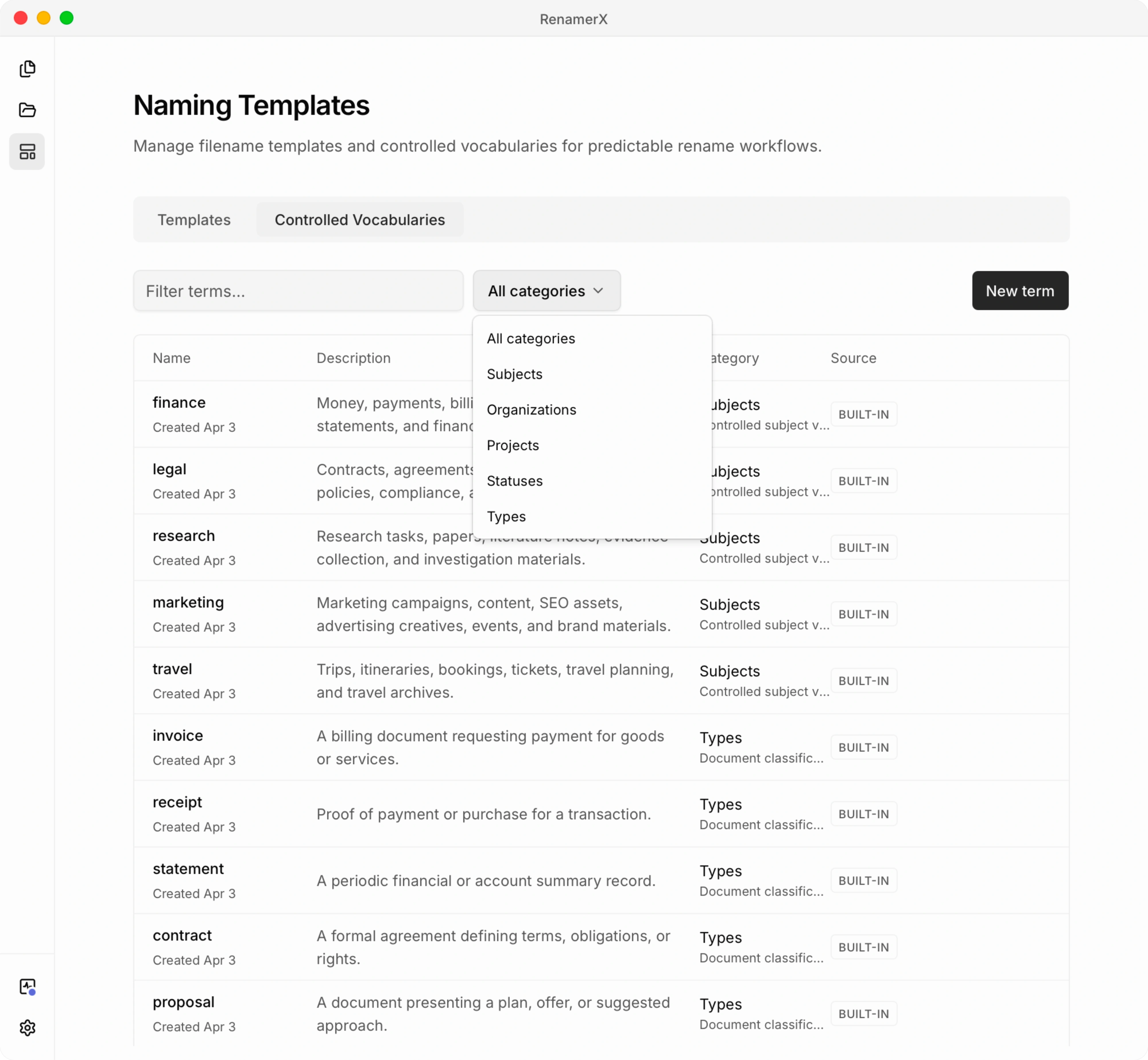
Common Mistakes
Avoid these patterns:
- controlling the title field until every filename sounds the same
- putting subject, type, and status into one tag-like bucket
- importing a huge taxonomy when a 20-term list would work
- adding near-duplicates because different people prefer different wording
- using abbreviations without documenting what they mean
- changing preferred terms without cleaning old filenames
- letting AI create new categories silently
- using sensitive client or personal labels when a safer general term works
Harvard Biomedical Data Management gives a useful warning for file names in general: decide which metadata belongs in the name, but if you are encoding too much metadata into the filename, store richer metadata elsewhere. Harvard Biomedical Data Management
Checklist Before You Rename a Folder
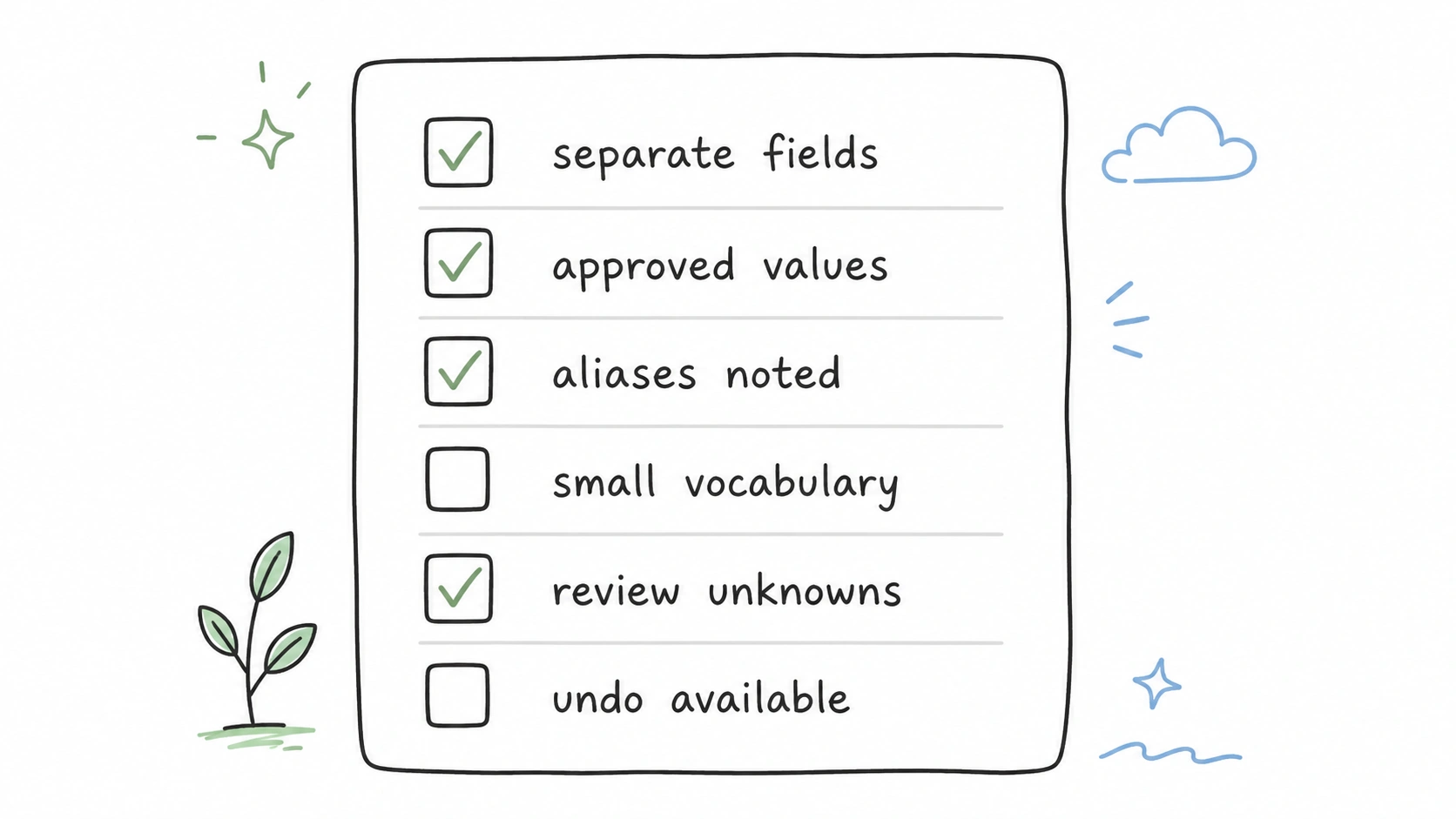
Use this before applying a new naming convention to many files:
- Are
type,subject, andstatusseparate fields? - Is each repeated value written one approved way?
- Are organization and project names registered consistently?
- Are common aliases documented?
- Is the vocabulary small enough for people to use?
- Are ambiguous terms explained with short descriptions?
- Does the filename template omit uncertain fields instead of guessing?
- Can users review and undo changes?
Related Guides
- Start with file naming conventions when you want the full naming system.
- Use file naming templates when you need patterns that controlled values can feed.
- Use metadata-driven file naming when the values come from file content or embedded metadata.
- Use file naming examples when you want to see approved values inside before-and-after names.
- Use date format in file names for date formatting rules.
- Use safe filename characters for separator and character safety.
Sources and Further Reading
- Princeton University Records Management: File Naming Conventions & Version Control
- NARA Records Express: Best Practices for File Naming
- Dublin Core Metadata Element Set
- DCMI Application Profile Guidelines
- IPTC NewsCodes
- Library of Congress Controlled Vocabularies
- NISO Z39.19
- UCLA MEAP: Using Controlled Vocabularies for Subject Terms
- OCLC CONTENTdm: Use Controlled Vocabulary
- Harvard Biomedical Data Management: File Naming Conventions
The Takeaway
Good file naming is not only about separators, dates, and field order. It is also about keeping repeated meanings stable.
Use templates to decide what a filename contains. Use controlled vocabulary to decide which repeated values are allowed. Use review before apply when AI helps fill those fields. That combination is what turns a folder from "mostly understandable" into something searchable, sortable, and trustworthy over time.