How to Name Images for SEO: Filenames, Alt Text & Examples
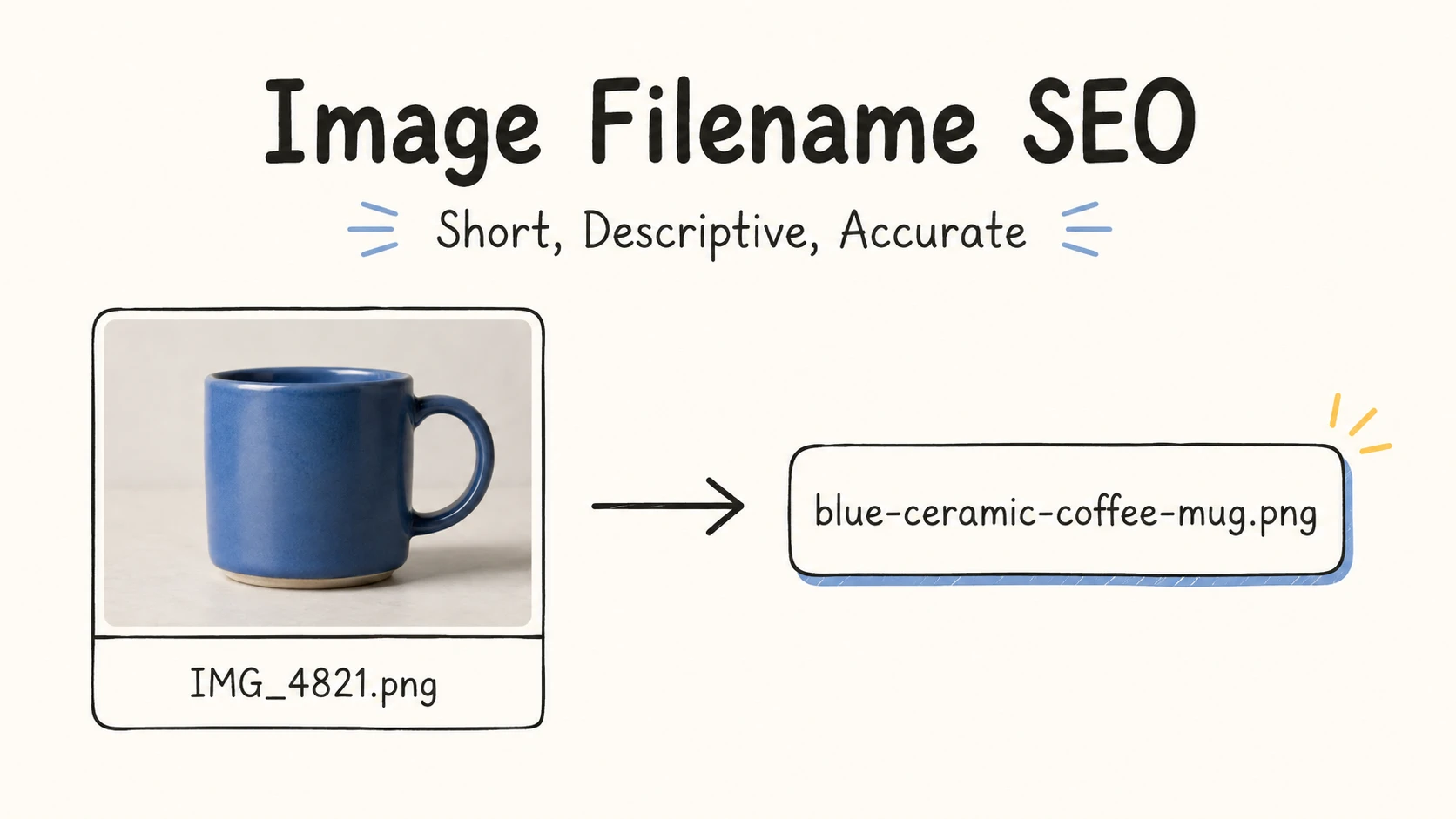
IMG_4821.png provides no useful information about the image. Editors must open the file to identify its content, and search engines cannot get useful content clues from the filename.
Quick Answer
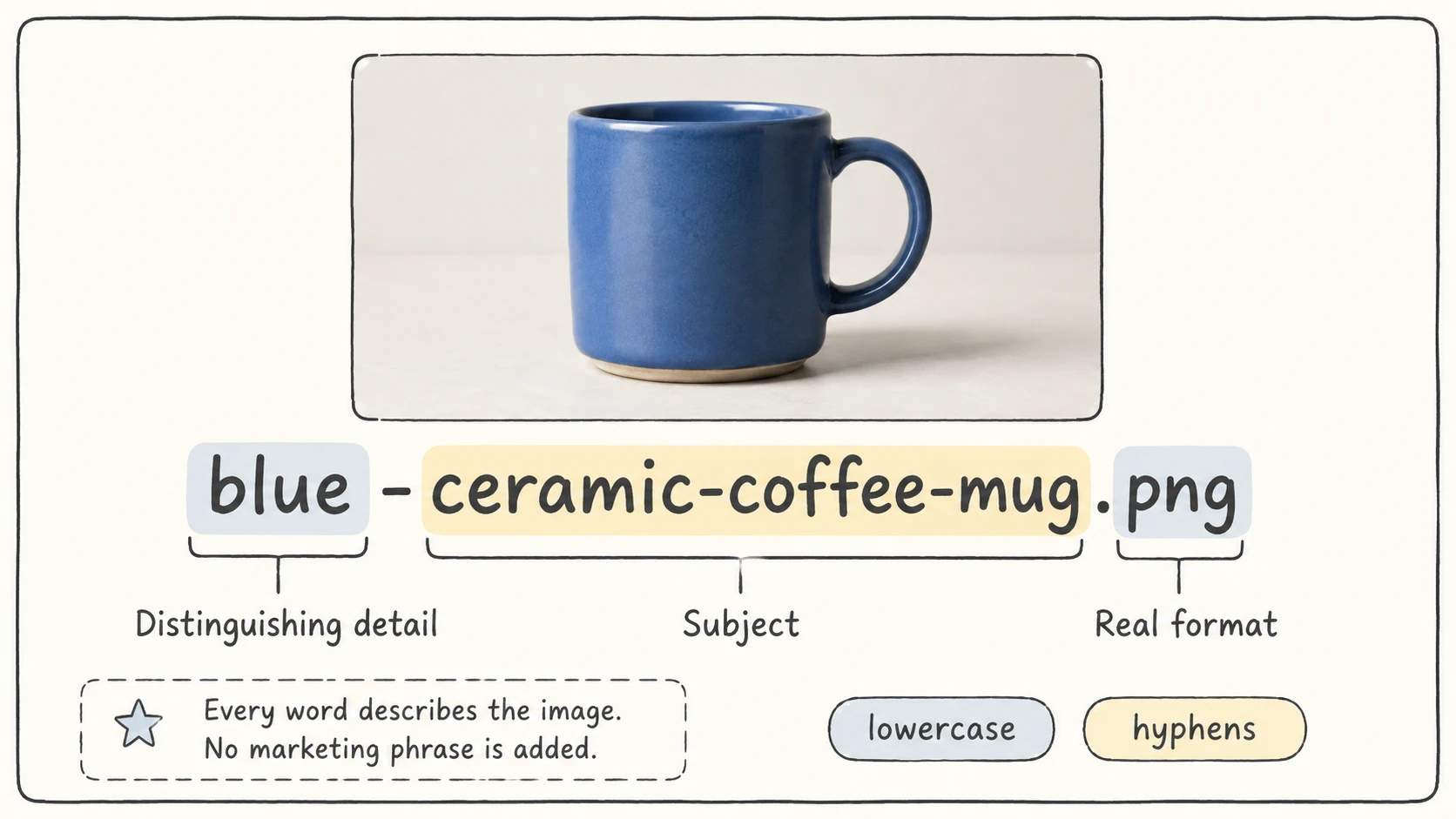
An SEO-friendly image filename should describe what the image shows briefly and accurately. For example, IMG_4821.png can become blue-ceramic-coffee-mug.png. Use lowercase words separated by hyphens, include only the information needed to identify or distinguish the image, and keep the extension that matches the real format.
A descriptive filename can give search engines a light clue about the image. Alt text and surrounding page content provide the page-specific meaning, so write them separately. Include a page keyword only when it is also a natural, accurate description of the image.
| Messy filename | Better filename |
|---|---|
IMG_4821.png | blue-ceramic-coffee-mug.png |
DSC00991.jpg | strawberry-and-blueberry-ladyfinger-cake.jpg |
screen3.png | renamerx-ui-main-interface.png |
Image Filenames Help SEO, but Only as a Light Clue
Google says a filename can provide "very light clues" about an image's subject. It recommends short, descriptive names instead of generic camera names such as IMG00023.JPG. The same guidance gives more weight to useful alt text, relevant nearby copy, and a page that matches the image. Google Search Central
The Bing Webmaster Guidelines also recommend descriptive filenames, alt text, and captions or structured data to help Bing understand visual content. Bing Webmaster Guidelines
The practical division is simple:
Use the filename to identify the image briefly. Use alt text to explain its meaning or function on the page. Use the page content to provide the full context.
Changing IMG_4821.png to a descriptive name will not repair thin copy, missing alt text, blocked images, poor performance, or an irrelevant page. The filename helps, but the rest of the page still has to support the image.
How to Name an Image for SEO
Describe what the image actually shows
Start with the main content someone can verify by looking at the image.
Weak: IMG_4821.png
Better: blue-ceramic-coffee-mug.png
The filename should match the image. Do not add a place, feature, or keyword that the image does not show.
Add only the details needed to distinguish similar images
Similar assets need a word that separates them:
blue-ceramic-coffee-mug-front.png
blue-ceramic-coffee-mug-side.png
blue-ceramic-coffee-mug-handle-detail.png
Useful details include color, model, angle, view, verified location, step, state, size, or variant. One detail may be enough; a product set may need both color and view. Stop when someone can tell the images apart without reading a list of unnecessary attributes.
Use page keywords only when they describe the image
The page's target phrase can appear in the filename when it is also an accurate description. A product page about ceramic coffee mugs can use:
blue-ceramic-coffee-mug.png
Do not turn the page title or marketing copy into a filename:
Avoid: best-coffee-mugs-buy-online-sale.jpg
The first name identifies the picture. The second tries to rank for a page topic that the image cannot show.
Use lowercase words separated by hyphens
For public web images, use a predictable URL-friendly format:
blue-ceramic-coffee-mug.png
Google recommends hyphens rather than underscores for separating words in URLs. Lowercase also avoids case mismatches on systems that treat Mug.jpg and mug.jpg as different paths. This is a sound URL convention, not a promise of higher rankings. Google Search Central
There is no official best word count. Keep the name short enough to scan and specific enough to identify the image.
Keep the correct extension
The extension should match the image format. Google explicitly recommends matching the filename extension to the file type. Google Search Central
Renaming .png to .jpg does not convert the image. Use an image conversion tool when the format itself needs to change.
Keep sensitive information out
Screenshots and photographs may reveal customer names, account details, addresses, medical information, API keys, or internal project codes. A public filename can appear in a URL, cache, analytics record, or search index. Remove private details before publishing the asset.
Good and Bad Image Filename Examples
| Scenario | Weak filename | Better filename | Why it is better |
|---|---|---|---|
| Product image | IMG_4821.png | blue-ceramic-coffee-mug.png | Names the product and color without adding unrelated words |
| Software screenshot | screen3.png | renamerx-ui-main-interface.png | Names the product and interface shown |
| Project diagram | arch diagram final2.png | bridgemind-ai-high-level-architecture-diagram.png | Names the project, subject, and asset type |
| Recipe image | DSC00991.jpg | strawberry-and-blueberry-ladyfinger-cake.jpg | Describes the visible dish and fruit |
| Interior photo | IMG_4885.jpg | restaurant-interior-with-vintage-posters.jpg | Names the place and its visible distinguishing feature |
| Ecommerce product | red1.png | red-puma-nitro-running-shoe.png | Keeps the color, brand, model, and product together |
Product images often need a product name plus the details that separate one view from another. Tutorial screenshots usually need the product and screen or action shown. Diagrams need the topic and diagram type. Each added word should help someone identify the image or distinguish it from a nearby variant.
For more before-and-after patterns, see the file naming examples and file naming templates guides.
For collection-specific decisions before publishing, use the photo renaming guide for camera and photo archives and the screenshot renaming guide for interface captures.
Image Filenames and Alt Text Do Different Jobs
| Element | Main purpose | Example |
|---|---|---|
| Filename | Give the image a short, recognizable name | blue-ceramic-coffee-mug.png |
| Alt text | Describe meaning or function in this page context | Blue ceramic coffee mug with a rounded handle on a light-colored surface |
| Caption | Explain or label the image for visible readers | Blue ceramic coffee mug used in the filename examples |
| Nearby copy | Connect the image to the page topic | Product dimensions, material, care, and availability |
The filename and alt text can share a subject without being identical. Alt text should reflect why the image appears on that page. A decorative image may need empty alt text even though its asset filename remains descriptive. A linked image may need alt text that describes the link's purpose.
Google says alt text helps search systems understand the image and supports people who cannot see it, including screen-reader users and people on low-bandwidth connections. It advises useful, contextual descriptions and warns against keyword stuffing. Google Search Central
The W3C alt decision tree provides a practical way to choose alt text based on whether an image is informative, decorative, functional, or text-bearing. W3C Web Accessibility Initiative
Rename Images Before Upload, Then Review the Published Page
Renaming a folder with dozens or hundreds of files such as IMG_4821.png, DSC00991.jpg, and red1.png means opening each image, identifying its content, writing a useful name, and keeping the whole batch consistent.
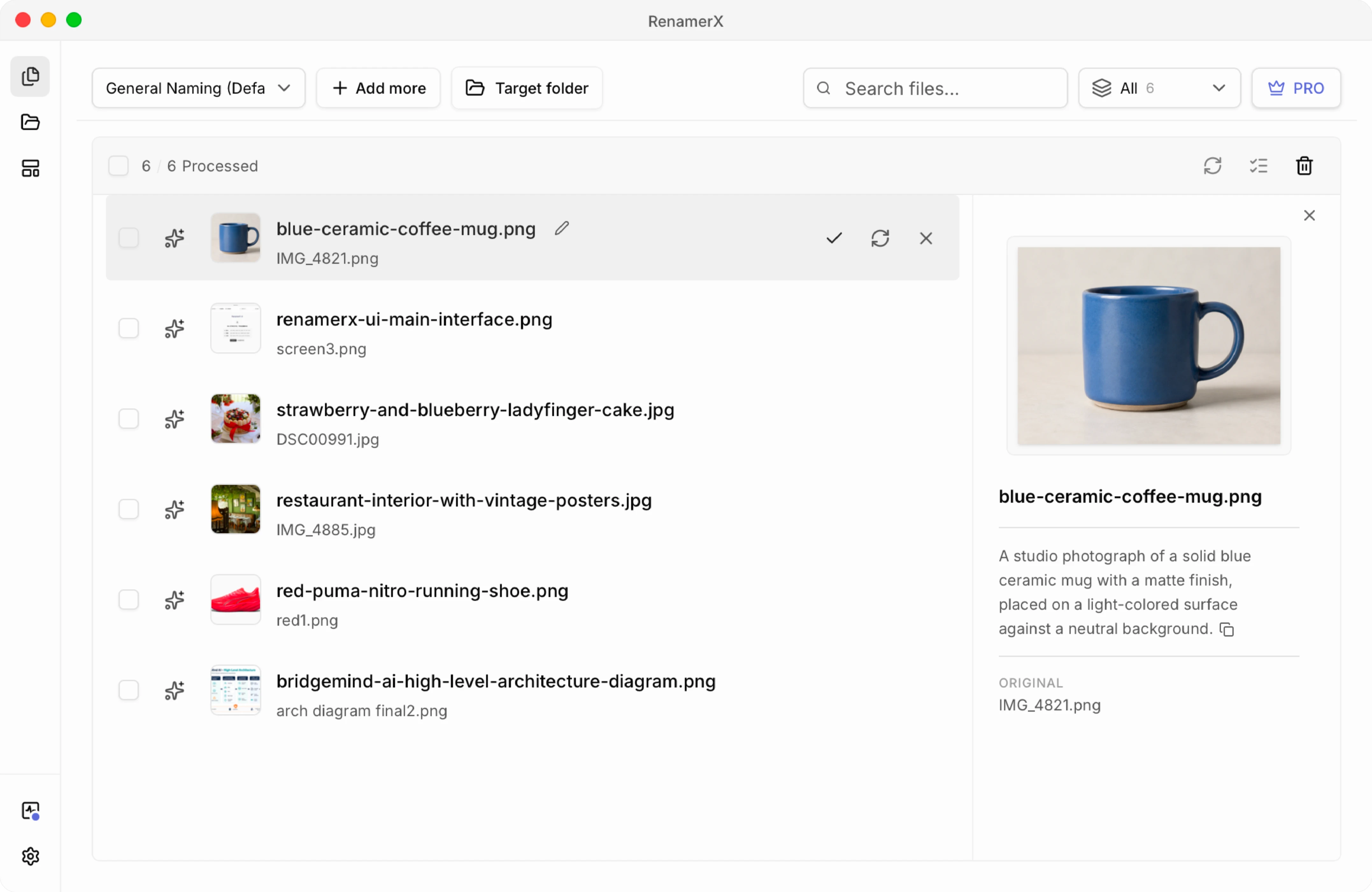
With RenamerX, you can import the folder as a batch. It analyzes the visual content and available metadata on your device, generates filenames with your naming template, and places the original and suggested names side by side. Instead of writing every filename from scratch, you review and correct the suggestions before applying them. You can ignore files that should stay unchanged and undo applied renames if needed.
Use it before a CMS, CDN, ecommerce platform, or documentation site creates public image URLs:
- Remove unusable and duplicate images.
- Add the images to Batch Rename and choose a short template. For most web images,
{title}places the concise, content-based title in the filename. - Let RenamerX analyze the images and generate a consistent set of suggested filenames.
- Review the old and new names together. Correct inaccurate wording, remove unnecessary details, and check that similar images remain easy to distinguish.
- Apply the approved batch. Convert or compress the images when needed, then upload them.
- Write page-specific alt text and verify the rendered page, image URL, dimensions, and loading behavior.
RenamerX also generates a concise Description for each analyzed image. You can copy it as a first draft for alt text, then edit it to match the image's purpose on the page. RenamerX handles local image analysis, filename generation, review, apply, and undo. Compression, writing alt text in the CMS, updating page references, and managing URL redirects remain part of the publishing workflow.
This is the image-specific version of the broader content-based file renaming workflow.
If the Image Is Already Published
Do not rename a live image URL solely for filename SEO. If a change is necessary for accuracy, privacy, or a broader asset migration, update every page and metadata reference, redirect the old URL when the delivery system supports it, and verify sitemaps, caches, and social previews. Otherwise, keep the existing URL and improve the image's alt text and surrounding page context.
Image Filename Checklist
- The filename accurately identifies what the image shows.
- It includes only the details needed to distinguish similar images.
- Relevant keywords appear only when they accurately describe the image.
- Words are lowercase and separated by hyphens for a public web URL.
- The filename is short enough to scan.
- The extension matches the real image format.
- The name contains no unverified details, keyword stuffing, or private information.
- The asset is renamed before upload when possible.
- Alt text is reviewed for the page context, even when it starts from a generated description.
- Published URLs are changed only with a migration plan.