PDF Renamer: How to Rename PDF Files by Content
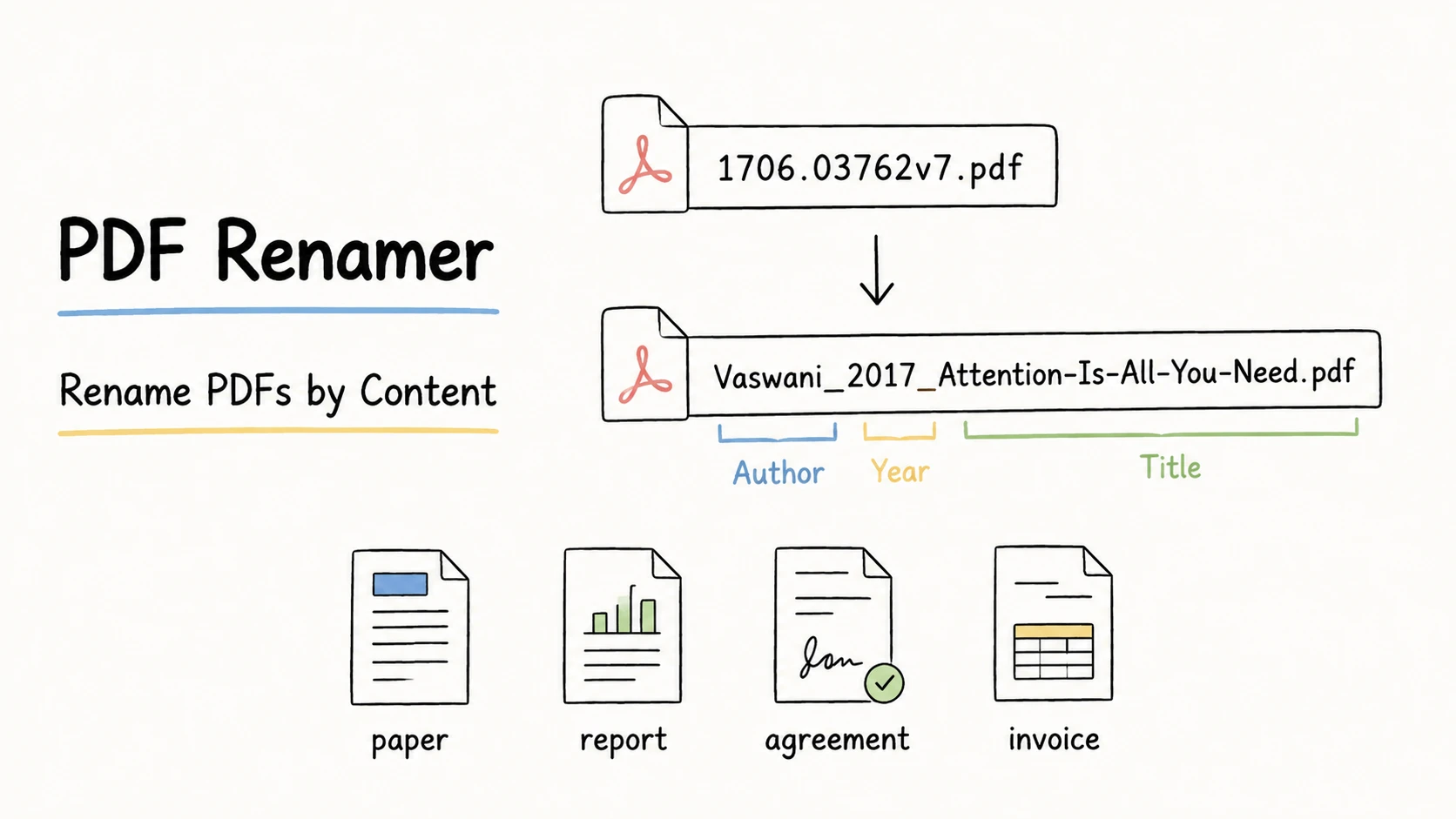
Large PDF collections become hard to browse and search when the filenames say nothing about the documents inside. 1706.03762v7.pdf, Stripe Invoice (1).pdf, and monthly progress report FINAL.pdf may all be on your computer, but their names still force you to open them one by one when you need to find a paper, match an invoice, hand off a report, or archive an agreement.
The useful clues are already in the documents: a paper's author and title, an invoice's supplier and number, or a report's project and reporting period. Bringing those clues into the filename makes PDFs easier to recognize, search, sort, and share without trying to summarize every page.
Quick Answer
Renaming PDFs by content means choosing two to five key details you will use to find the file later. A paper can use author, year, and title; a report can use reporting period, project, and title; an invoice can use issue date, supplier, and invoice number. As the examples below show, use the same information order for the same kind of PDF, put the most important search clue first, and keep date formats and separators consistent.
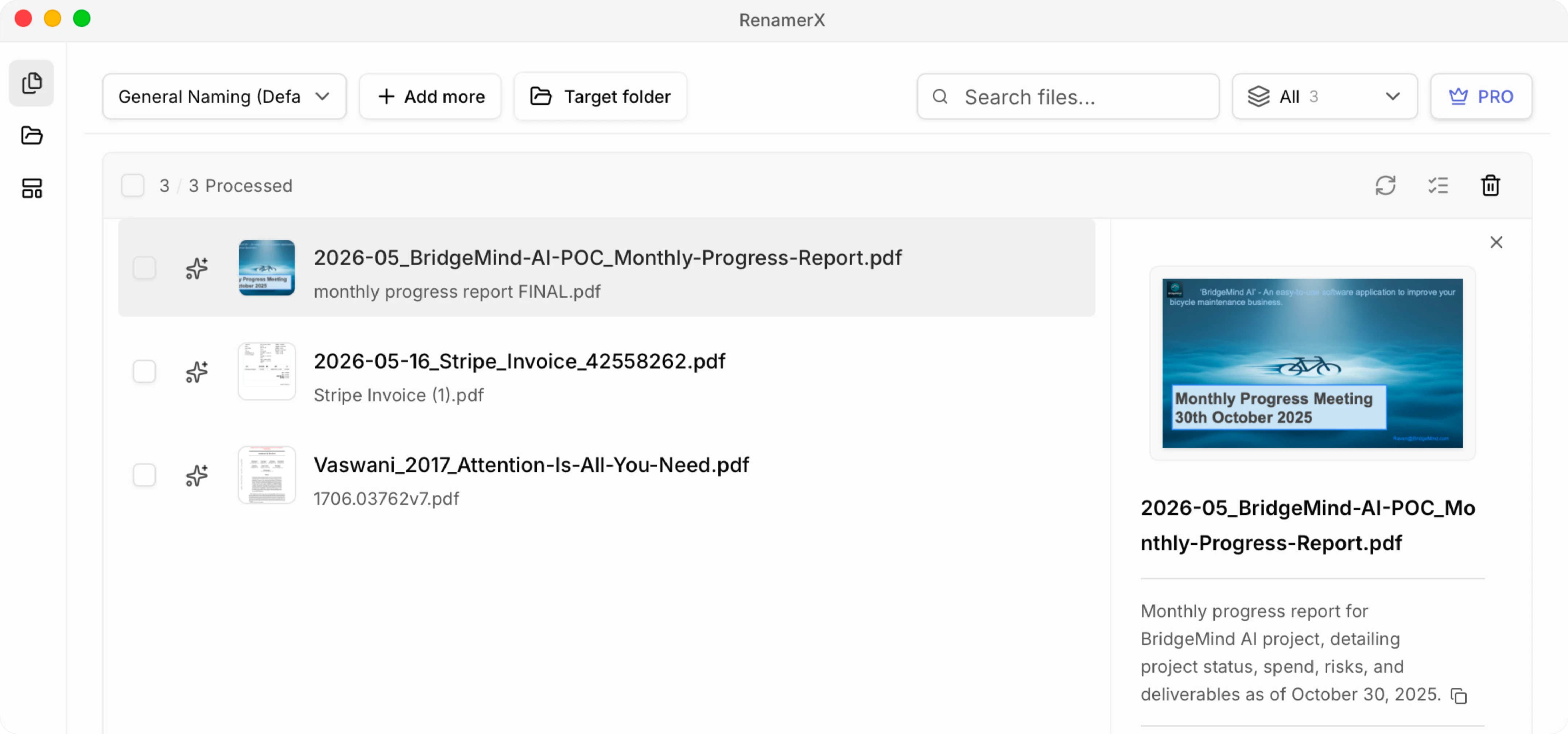
You can open and rename a small number of PDFs one by one according to your naming convention. For a large collection of messy PDFs, use RenamerX. Its built-in local AI reads file content without uploading the files, then generates clear, searchable filenames that follow your naming convention. Review the rename results before applying them in batch, and undo applied renames if needed.
| Messy filename | Better filename | Pattern |
|---|---|---|
1706.03762v7.pdf | Vaswani_2017_Attention-Is-All-You-Need.pdf | {creator}_{date:year}_{title} |
Stripe Invoice (1).pdf | 2026-05-16_Stripe_Invoice_42558262.pdf | {date}_{organization}_{type}_{identifier} |
monthly progress report FINAL.pdf | 2026-05_BridgeMind-AI-POC_Monthly-Progress-Report.pdf | {date}_{project}_{title} |
Choose Information by How the PDF Will Be Found Later
Princeton Research Data Service recommends identifying the important elements of a project and using consistent, short, descriptive filenames. Princeton Research Data Service
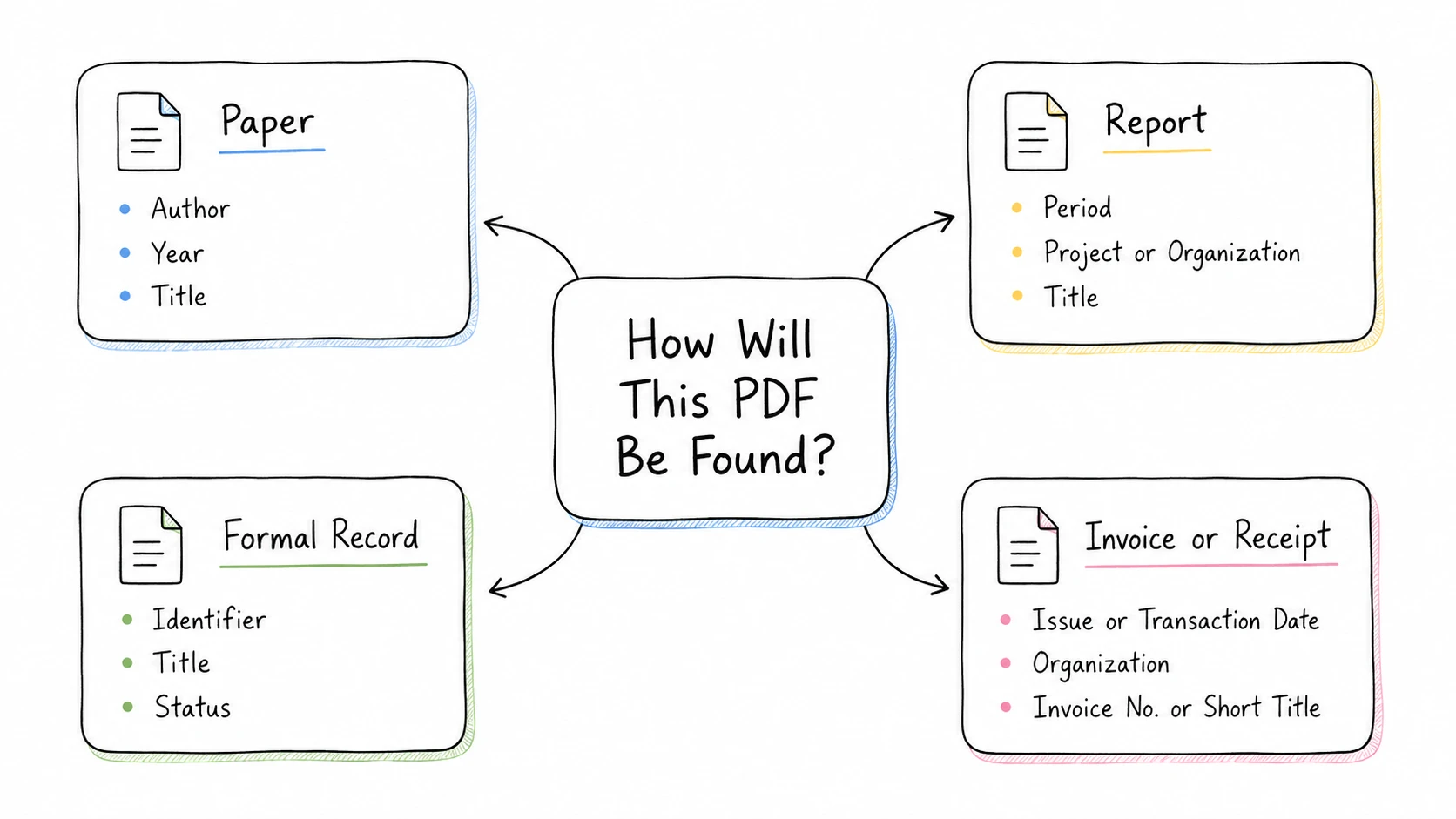
The .pdf extension tells you how the file is packaged, not how it should be named. A useful filename exposes the clues people are most likely to remember later: author, project, organization, date, document type, or official number. A filename is not a complete summary of the document, so choose details people will actually use to retrieve the file or distinguish it from similar PDFs. A report date helps only when it is the reporting period people browse by. An agreement number helps only when it is the official identifier, not another number that happens to appear on the page.
Research papers
Papers are usually recognized by author, year, and title:
{creator}_{date:year}_{title}

Vaswani_2017_Attention-Is-All-You-Need.pdf
Keep a DOI, arXiv ID, or internal reference when it is part of the team's lookup process. Do not force the complete citation, abstract, journal name, and URL into the filename. A reference manager or document metadata can carry those details.
Reports
An internal project report often needs its reporting period, project, and subject:
{date}_{project}_{title}

2026-05_BridgeMind-AI-POC_Monthly-Progress-Report.pdf
When an organization publishes the report independently of a project, use the organization instead:
{date}_{organization}_{title}

2026-05_Acme-Robotics_Monthly-Progress-Report.pdf
Confirm what the date means. The publication date, reporting month, approval date, and file modification time can all differ. The date format guide explains when YYYY-MM-DD, YYYY-MM, or YYYY fits the record.
Contracts and formal records
An official identifier can be stronger than a date:
{identifier}_{title}_{status}

AGR2024042801_Vehicle-Purchase-Agreement_Signed.pdf
Use an identifier only when it is stable, useful, and safe to expose. Full government ID numbers, account numbers, medical details, and other sensitive values should not become filenames simply because they are easy to extract.
Invoices and receipts
Financial documents need their own field rules. For an invoice, a practical default is the issue date, supplier, document type, and official invoice number:
{date}_{organization}_{type}_{identifier}

2026-05-16_Stripe_Invoice_42558262.pdf
The issue date identifies when the supplier created the invoice; the due date identifies when payment is expected. The invoice number identifies the supplier's billing document; a purchase order or order number identifies a different business record. Do not substitute one for another simply because it is prominent on the page.
For a receipt, use the transaction date, merchant, and a short description of the purchase:
{date}_{organization}_{title}

2026-04-14_GitHub_Copilot-Pro_Receipt.pdf
When the receipt provides a stable receipt or transaction number and the filing workflow uses it, append {identifier}. Otherwise, omit the field rather than guessing a number.
Amounts can help with manual matching, but they also expose financial details and may be ambiguous when the page shows subtotal, tax, refund, and total. Keep them out unless the filing workflow genuinely depends on them. The focused guide to renaming invoice files explains how to choose the supplier, invoice date, invoice number, and optional amount.
Use a Template to Keep PDF Names Consistent
A template separates the information you choose from the way the filename is written. It fixes the order, separators, and date style so the same kind of PDF follows the same pattern.
| Scenario | Template | Example |
|---|---|---|
| Mixed or unclassified PDFs | {date}_{title} | 2026-05-16_Stripe-Invoice.pdf |
| Research paper | {creator}_{date:year}_{title} | Vaswani_2017_Attention-Is-All-You-Need.pdf |
| Internal project report | {date}_{project}_{title} | 2026-05_BridgeMind-AI-POC_Monthly-Progress-Report.pdf |
| Organization-published report | {date}_{organization}_{title} | 2026-05_Acme-Robotics_Monthly-Progress-Report.pdf |
| Agreement | {identifier}_{title}_{status} | AGR2024042801_Vehicle-Purchase-Agreement_Signed.pdf |
The examples reuse patterns from the file naming templates and file naming examples libraries. Those guides also cover information order, date precision, versions, status, and missing values.
Keep the filename smaller than the document's metadata record. A good PDF filename usually needs two to five meaningful fields. Long legal titles, full descriptions, every organization on the page, and every available number make the name harder to scan.
A reliable batch process should also:
- Skip empty fields instead of producing blank segments.
- Preserve the original
.pdfextension. - Replace characters that are unsafe across platforms.
- Keep one separator pattern throughout the folder.
- Detect duplicate target names before changing files.
Microsoft lists characters and reserved names that Windows does not accept in ordinary filenames. The safe filename characters guide turns those platform rules into a practical cross-platform convention. Microsoft Learn
How to Rename PDF Files by Content
For a few PDFs, the manual method is straightforward: open each document, identify its type, choose the information needed to find it later, and rename it with the appropriate pattern. The difficult part is repeating that process across a large folder. Every document must be opened, the correct date or identifier must be distinguished from competing values, and the final name must follow the same order and formatting. This is the PDF-specific version of the broader content-based file renaming workflow.
RenamerX handles the repetitive part while keeping the decisions reviewable.
Step 1: Define a template for each document type
Start with a representative sample. Decide how papers, reports, agreements, invoices, and other recurring documents should be identified, then choose a template for each group. You can also start with a built-in general template, which will usually produce a useful filename, and adjust it later to fit your workflow.
Step 2: Add the PDFs and generate suggestions
Drag the files into RenamerX and select the appropriate template. RenamerX reads the available document content and metadata, extracts the information required by the template, and keeps the original and suggested names side by side. The template controls the field order, date format, separators, safe characters, and extension.
Step 3: Review the suggested names against the PDFs
Review matters when a document contains several plausible titles, dates, numbers, or organizations:
- A cover may show a series title while the specific document title appears later.
- A contract may contain effective, signature, revision, and termination dates.
- A report may mention several organizations without making the owner obvious.
- A paper's embedded title or author metadata may be blank or outdated.
- An invoice number may sit beside a purchase order, order number, or account number.
- A scan may be blurred, rotated, handwritten, or missing the information from its first page.
Compare every important title, date, organization, status, and identifier with the document. Edit a wrong value, retry a weak suggestion, or leave out information the PDF does not clearly support. For limits specific to scans and later pages, see the guide to renaming scanned PDFs.
Before applying the batch, also check that the names omit unnecessary sensitive information, do not create duplicate targets, and preserve the .pdf extension.
Step 4: Apply the approved names and verify the folder
Apply only the suggestions you have approved. Check several results in the destination folder, confirm that links or document systems still work, and keep Undo available until the batch has been verified.
Core analysis and renaming run on the device after the required resources are installed. The current network and privacy boundaries are documented in How RenamerX Works and Security and Privacy.
Make PDFs Easy to Find Without Opening Them
A useful PDF name exposes the few details that help someone recognize, sort, or match the document. Use {date}_{title} for a mixed collection when those two fields are enough; use a more specific template when the folder has a known retrieval pattern. In either case, review values whose meaning is ambiguous.
For a few PDFs, you can apply the same method manually. For a large collection, RenamerX can read the available details and arrange the selected information with your template, while you control which names reach the filesystem.