Why Undo Matters in AI-Powered File Automation
Why Undo Matters in AI-Powered File Automation
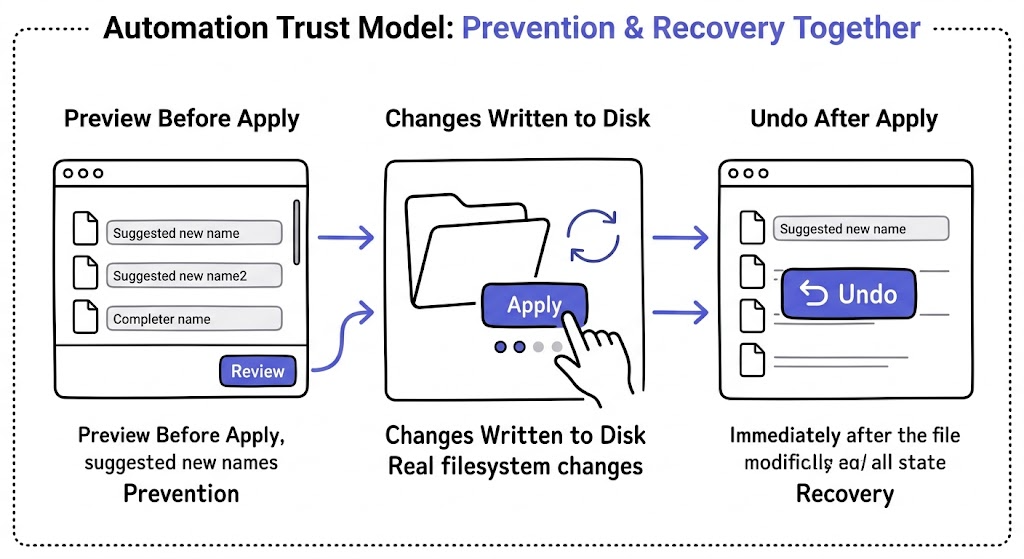
Undo matters in AI-powered file automation because trust does not come only from correct suggestions. It comes from knowing mistakes can be reversed cleanly after real filesystem changes happen. In automation, reversibility is part of control, not a backup feature.
This is especially important with file operations because a rename or move feels more serious than many other software actions. Once a file changes on disk, users want more than confidence. They want a safe way back.
That expectation is not niche. Nielsen Norman Group's usability heuristics explicitly describe undo and clear recovery paths as part of user control and freedom: 10 Usability Heuristics for User Interface Design.
Why undo is not optional in file automation
Even a good automation workflow will sometimes produce:
- a weak title
- the wrong grouping choice
- a better rename than the user wanted for that one file
- an acceptable suggestion that still does not fit the human context
None of those means the system is broken. They do mean the user needs a recovery path.
That is what undo provides: confidence that applied changes are not final just because they happened quickly.
Review-first is not enough on its own
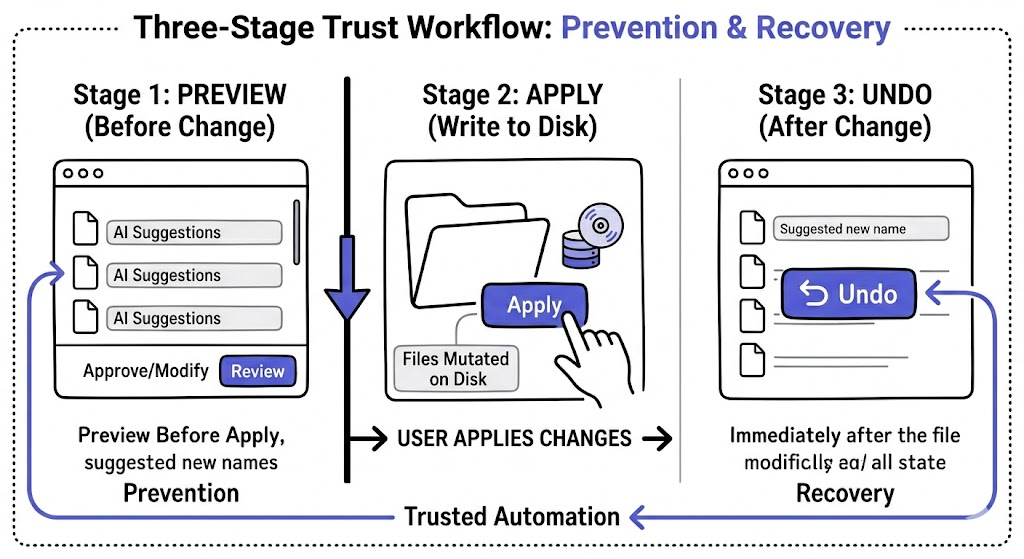
Review-first helps reduce mistakes before apply, but it does not eliminate them.
Users still discover issues after apply when:
- they scan the renamed files in context
- they compare results across a larger batch
- they notice a project or folder expectation changed
- they decide a suggestion was technically valid but still not the right choice
That is why review-first and undo belong together. One helps before the change. The other helps after it.
What undo changes psychologically
Undo changes how people experience automation.
Without undo, every apply action feels heavier.
With undo, users are more willing to:
- test a new template
- apply a batch after review
- move from manual rename to structured workflows
- gradually trust a recurring automation lane
In that sense, undo is not just a recovery feature. It is also an adoption feature.
What good undo support should look like
| Requirement | Why it matters |
|---|---|
| Works after applied changes | Undo must exist where risk exists |
| Clear scope | Users need to know what can be reversed |
| Item-level or batch-level handling | Real workflows need both targeted and grouped recovery |
| Visible status updates | Recovery should not feel mysterious |
| Preserves trust after mistakes | The tool should feel repairable, not brittle |
If a product claims safe automation but offers no meaningful undo path, its safety story is incomplete.
From an AI governance perspective, that is also a trust issue. NIST's AI Risk Management Framework treats trustworthiness and risk management as part of how AI systems should be designed and operated: NIST AI Risk Management Framework.
Common misconceptions about undo
If the AI is good enough, undo is less important
Wrong. Better output lowers the frequency of correction, but does not remove the need for recovery.
Undo means the workflow is unreliable
Wrong. Undo usually signals that the product takes real filesystem consequences seriously.
Preview makes undo redundant
Wrong. Preview catches many issues before apply, while undo handles the issues discovered after apply.
Users can fix mistakes manually anyway
Technically true, but that turns an automation miss into manual cleanup. A tool that promises efficiency should not rely on users to rebuild state by hand.
How RenamerX implements undo as part of the workflow
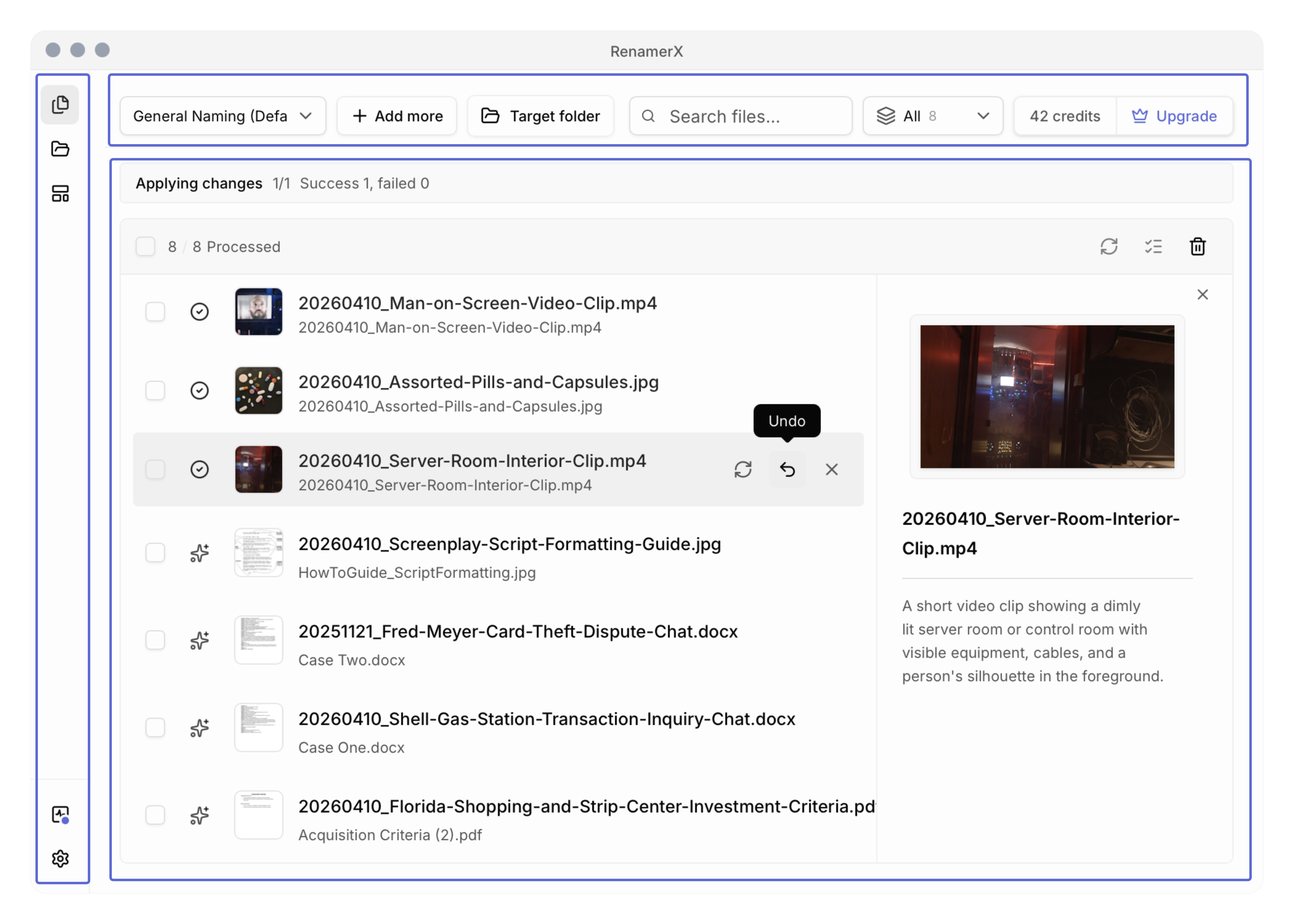
RenamerX supports undo for applied items in both Batch Rename and watch-folder results. That matters because it makes undo part of normal operation rather than an exceptional escape hatch.
At the implementation level, undo is handled as a real batch action, not just a UI label. The product resolves applied items, runs undo item by item, and emits progress as it goes. In other words, undo is treated as a first-class mutation path.
For the user-facing workflow, see /docs/core-workflows/batch-rename, /docs/core-workflows/watch-folders, and /docs/help-support/frequently-asked-questions.
If you want the trust-building workflow around undo, pair this article with /blog/review-first-vs-auto-apply-how-to-trust-file-automation-gradually and /blog/watch-folders-vs-batch-rename-which-workflow-fits-your-files. If you want to try that control model on your own files, compare plans on /pricing.
Why undo is a stronger trust signal than hype
Many AI products talk about confidence. Fewer talk clearly about recovery.
But in file automation, the more practical trust signal is often not we are accurate. It is you are still in control if the result is wrong.
That is a more believable promise, and for many users, a more useful one.
FAQ
Why is undo important in file automation?
Undo is important because file automation makes real changes on disk. Even strong review workflows cannot catch every issue before apply, so users need a reliable way to reverse applied changes when context changes or mistakes appear.
Does review-first make undo unnecessary?
No. Review-first helps before the change, while undo helps after the change. The two features solve different stages of the same trust problem.
Should undo work for batch operations too?
Yes. In real workflows, users often apply changes in groups, so recovery needs to support both individual items and applied batches rather than only one-file corrections.
Is undo a sign that the AI is unreliable?
No. It is usually a sign that the product takes real file changes seriously and is designed for practical recovery, not just optimistic automation.
Conclusion
Undo matters because file automation is only trustworthy when users can recover from applied changes without rebuilding the workflow by hand.
Accuracy helps. Review helps. But undo is what makes the system feel safe after the moment that matters most: when the file on disk has already changed. That is why undo is not a side feature. It is part of the product's trust model.